
Product guidance
How to Check If a Number Uses WhatsApp Business
Learn how to verify if a phone number uses WhatsApp Business using realtime single checks and bulk file tasks to support team workflows.
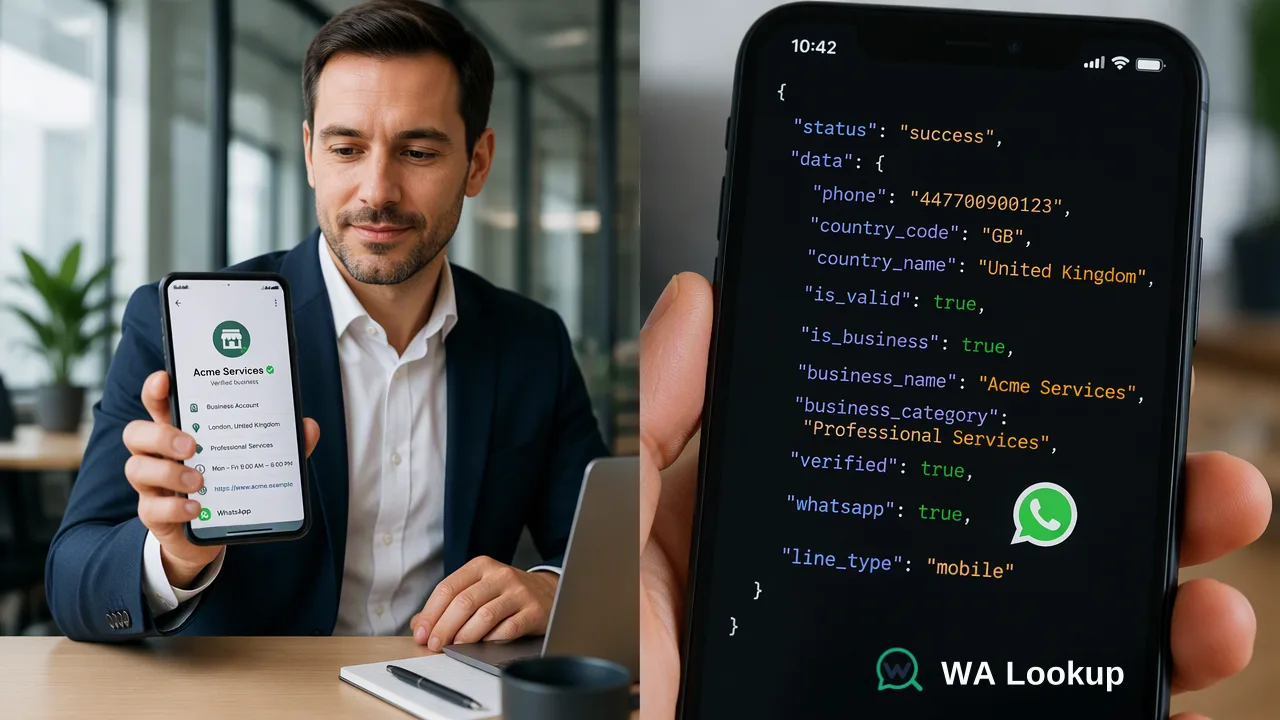
Learn how to verify whether a phone number uses WhatsApp Business using realtime and bulk checks to support communication workflows and audience segmentation.
To check if a phone number uses WhatsApp Business, organizations submit the number in international format to a verification service supporting business-profile detection. The check evaluates the number at request time, confirming whether an account is present on WhatsApp and whether it is configured as a business account. This account-presence signal provides context for communication workflows, distinguishing business accounts from standard personal profiles without verifying legal corporate identity or granting messaging permission.
Understanding WhatsApp Business Account Signals
A WhatsApp business account check confirms whether an identifier is registered on WhatsApp and whether the registered profile is configured as a business account.
Documented Account Signals
When evaluating phone numbers, verification systems distinguish standard platform registration from business-specific profile metadata:
- Standard Registration Check (
ws): Evaluates whether an account exists on WhatsApp for the submitted number at check time. - Avatar Check (
ws_avatar): Confirms account presence and reports profile picture availability alongside the avatar URL when present. - Business Account Check (
ws_business): Returns the account presence signal and indicates whether the account operates as a WhatsApp Business profile.
These checks deliver technical account-presence signals at the time of query.
Realtime Verification Workflow for Single Identifiers
Realtime verification evaluates individual phone numbers or small batches synchronously. This setup works well for inbound lead routing, contact center lookups, and immediate form validations.
Single and Small-Batch Request Flow
- Format the Number: Standardize the identifier using the international public telecommunication format defined by ITU-T Recommendation E.164, prefixing the number with its country code up to a maximum of 15 digits.
- Select the Service Type: Specify the business check service (
ws_business) to retrieve both platform registration and business profile status. - Initiate the Request: Submit the identifier through the web dashboard or via
POST /api/v1/checkusing an authorized API key. - Evaluate the Direct Response: The system delivers the result in the initiating response. A completed check returns the registered status and the business flag.
For small multi-number requirements, the synchronous batch endpoint (POST /api/v1/batch-check) accepts up to 100 numbers per request, returning all results in the same response. Alternatively, the web dashboard interface accommodates up to 500 pasted numbers for instant review.
Asynchronous Processing for Bulk Lists
When organizations manage large datasets for audience segmentation or database hygiene, asynchronous bulk tasks provide structured file handling.
Bulk Task Submission Workflow
- Prepare the Data File: Structure the file in TXT or CSV format with one identifier per line. Bulk files must represent a single country. Precheck validation rejects files where 10% or more of the identifiers belong to other countries.
- Upload the File: Submit the dataset using the asynchronous business bulk service (
ws_business_batch) via the web dashboard or by callingPOST /api/v1/bulk-tasks. Applicable per-product volume limits apply, which teams can review in the current API documentation. - Monitor Progress: The initial submission returns a unique task identifier. Systems monitor task progress via
GET /api/v1/bulk-tasks/{id}. - Download Completed Results: Once processed, the platform generates a downloadable CSV containing the account-presence and business-profile indicators for each submitted line.
Bulk processing operates under specific geographic boundaries. Realtime single-number checks support small volumes in mainland China (+86), Hong Kong (+852), and Macau (+853), but bulk file tasks do not support these three regions.
Account Configuration and Compliance Boundaries
Integrating business account checks into operational routing requires a clear understanding of billing behavior and messaging compliance.
Balance Allocation and Reconciliation
Both registered and unregistered completed checks consume account balance. For asynchronous bulk tasks, the platform reserves account balance at file submission based on the number of submitted records. Upon task completion, any unused reserved balance automatically returns to the account balance. If a bulk task fails processing, the entire reserved balance is released.
Regulatory and Messaging Policy Considerations
A business account flag confirms how an account is configured on the platform, but it carries operational boundaries:
- Messaging Consent: Verification does not satisfy regulatory or platform consent requirements. Under the WhatsApp Business Messaging Policy, organizations must secure clear opt-in permission before contacting any user.
- Data Minimization: Under Article 5(1)(c) of the GDPR, processing personal data must remain adequate, relevant, and limited to what is necessary for specific operational goals.
Understanding these boundaries ensures organizations use account-presence data to inform internal workflow routing while maintaining regulatory compliance.
FAQ
Does a WhatsApp Business account check verify the legal status of a company?
No. The check returns a platform-specific account-presence and profile signal indicating whether the account uses WhatsApp Business at check time.
Can teams verify phone numbers from any country for business account status?
Realtime single checks support global numbers, including mainland China (+86), Hong Kong (+852), and Macau (+853) for small volumes, though Taiwan coverage is unconfirmed. Bulk file processing does not support mainland China, Hong Kong, or Macau numbers.
What is the operational difference between a realtime check and a bulk task?
A realtime check operates synchronously, returning the registration and business signal directly in the initiating response. A bulk task processes a file asynchronously, returning a task ID upon submission and providing a downloadable result CSV once processing completes.
Does identifying a WhatsApp Business account grant permission to message the recipient?
No. Identifying an account type provides an reachability signal but does not satisfy messaging consent. Under the WhatsApp Business Messaging Policy, businesses must collect direct opt-in permission before initiating outreach.
Learn More
Choose the product information that fits the next step in your workflow.