
Adding WhatsApp Registration Checks to a CRM Workflow
Design a CRM workflow that checks new contacts for WhatsApp registration, stores the result as properties, and routes follow-ups with consent in mind.
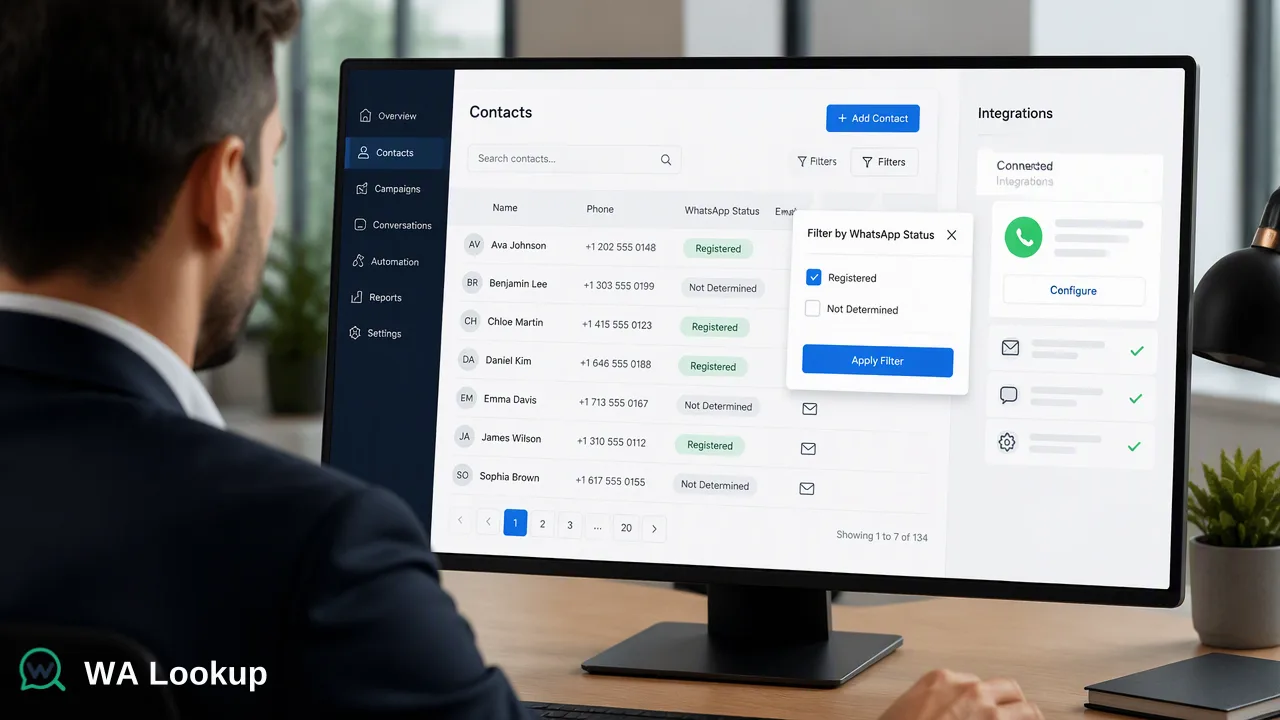
A step-by-step WhatsApp check CRM workflow: when to trigger the check, how to normalize numbers, which properties and tags to store, and how to route follow-ups.
A WhatsApp check CRM workflow runs a registration check when a contact is created or its phone number changes, writes the result and the check date back to the record, and uses that tag to decide which follow-up sequence the contact can enter. The check informs channel planning; opt-in status still decides whether the contact may be messaged. Built this way, the CRM keeps a current account-presence signal without re-checking the whole database every night.
Where the check belongs in the contact lifecycle
Vendor guides on this topic usually show a checker tool and a CRM side by side but skip the design questions: when to fire the check, what to store, and what to do with results that cannot be decided. Start with the triggers.
- Contact created from a form, an import, or a sales rep entering a lead.
- Phone number changed on an existing record, because the old result no longer applies.
- Before enrollment in a WhatsApp sequence, when the stored result is older than the re-check window your team chooses.
Avoid scheduled full-database checks. Each completed check is charged whether the number turns out registered or not, so checking unchanged records repeatedly spends balance without adding information.
Designing the WhatsApp check CRM workflow step by step
- Normalize the number. Convert the stored phone value to E.164 using the record's country field: country code, national number, no trunk zero. Records that cannot be normalized get a "needs review" tag instead of a check.
- Deduplicate. If two records share the normalized number, check it once and write the result to both.
- Call the realtime check. A CRM automation or middleware step sends
POST /api/v1/checkwith theX-API-Keyheader, the E.164 number and the selectedservice_typefor the WhatsApp Registration Check. The result comes back in the same response, so the workflow can continue without polling. - Handle imports in groups. For a CSV import of a few hundred leads,
POST /api/v1/batch-checktakes up to 100 numbers per request. A one-time cleanup of a very large historical base fits a bulk file task better: upload, wait, download the result file, then map rows back by phone number. - Write back and tag. Store the outcome and the check date on the record, then let the CRM's own workflow rules apply tags and enroll the contact.
Store the API key in the CRM's secrets or integration settings, never in a contact field or a shared spreadsheet.
Properties and tags worth storing
Keep the schema small and readable for sales users. A typical set of custom properties, defined by your team:
| Property | Suggested values | Purpose |
|---|---|---|
| WhatsApp check result | Registered / Not registered / Not determined / Not checked | Drives sequence eligibility |
| WhatsApp last checked | Date | Supports re-check rules |
| WhatsApp check type | Registration, Avatar, Business account | Records which check produced the result |
| WhatsApp business account | Yes / No / Not checked | Filled only when the WhatsApp Business Account Check was run |
"Not determined" matters. A check that cannot be decided returns a non-zero business code, and it should never be stored as "Not registered". Similarly, a "No" in the business-account property only means the business-account signal was absent; it does not show that the contact is personal or unaffiliated with a company.
Follow-up rules that respect the signal's limits
Once results are stored, workflow rules can branch on them:
- Registered and opted in: eligible for the WhatsApp sequence, subject to your messaging provider's own rules.
- Registered without opt-in: keep in email or phone outreach until consent is collected. The WhatsApp Business Messaging Policy requires opt-in before a business contacts someone and requires honoring opt-out requests, including removal from contact lists.
- Not registered: send follow-ups through email, SMS or calls instead of a WhatsApp template.
- Not determined: hold for a later retry and keep the contact out of WhatsApp-only steps until a completed result exists.
A registered result is a platform-specific account-presence signal at check time. Numbers can be reassigned, so a re-check window (for example, before each new campaign) keeps tags from going stale.
Operating the integration
- Watch the balance. The dashboard shows balance, API keys, validation history and bulk task status; integrations can read the balance through
GET /api/v1/balancebefore a large import. - Respect usage controls. The API documents per-user concurrency and timeout controls. Size parallel workers to those controls and consult the current API documentation rather than assuming a fixed request rate.
- Log failures separately. Network errors and undetermined checks belong in an error log with a retry time, not in the contact's result property.
- Keep the format consistent. Meta's phone number format guidance shows that numbers without a plus sign and country code can resolve to the wrong recipient, so the normalized number used for the check should also be the one used for sending.
FAQ
How can teams avoid paying for repeated checks on the same contact?
Trigger the check only on contact creation, phone number changes, or enrollment after the re-check window has passed, and deduplicate normalized numbers before calling the API. Store the last-checked date so automation can skip records with a recent completed result.
What should a CRM store when a check cannot be decided?
Store a separate value such as Not determined, log the attempt, and schedule a retry. An undetermined check is not a completed not-registered result, so it should not move the contact into non-WhatsApp follow-up permanently.
Which API call fits a CRM import of a few hundred leads?
The synchronous multi endpoint, POST /api/v1/batch-check, accepts up to 100 numbers per request and returns results in the same response, so a few hundred leads can be processed in several requests. Very large historical cleanups fit a bulk file task instead.
Can the business-account result be used for B2B segmentation?
It can be one input. When the WhatsApp Business Account Check is selected, the result shows whether the account is a WhatsApp Business account. It identifies the account type only and does not confirm a registered company or permission to contact.
Learn More
Choose the product information that fits the next step in your workflow.