
WhatsApp Registration Lead Routing: Sending Each Lead to the Right Channel
Route new leads to WhatsApp, email or phone based on a registration check, consent and retry rules. Decision table, check placement and mistakes.
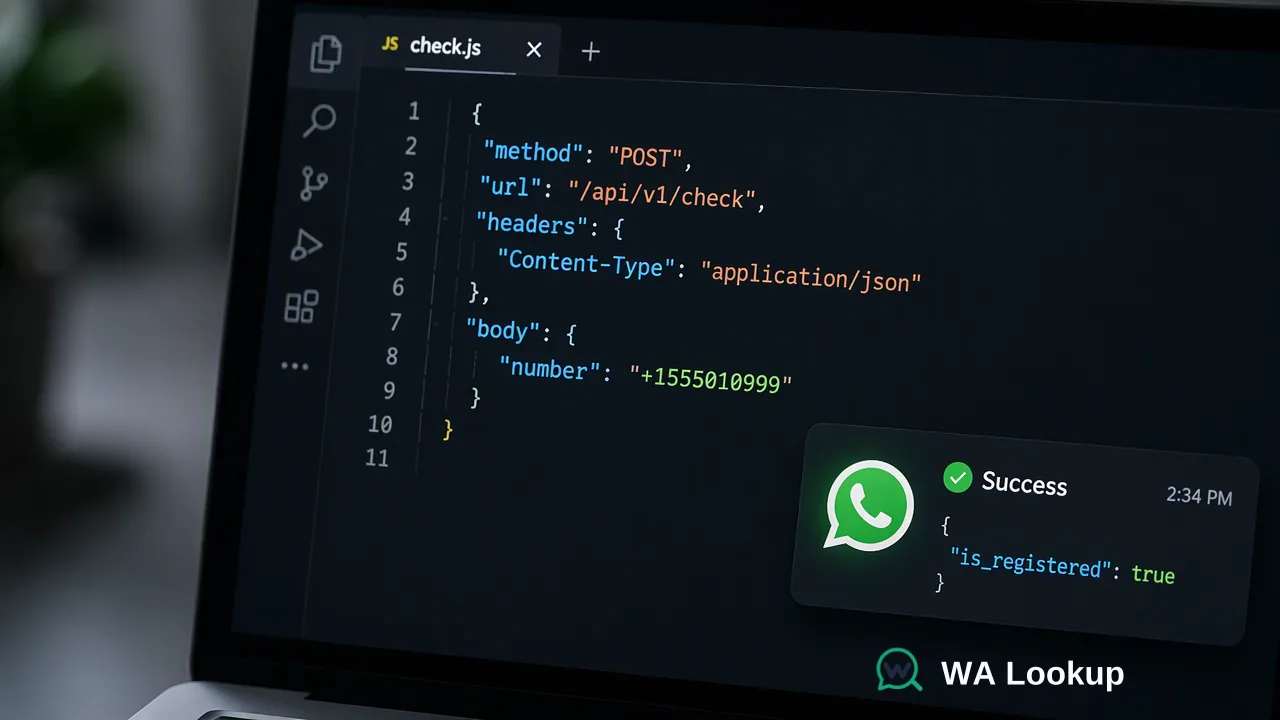
How to use a WhatsApp registration check inside lead routing: where the check runs, how consent and results combine into channel rules, and how to handle leads with no decision.
WhatsApp registration lead routing sends each new lead to a channel based on two facts: whether the lead agreed to be contacted, and whether the number had a registered WhatsApp account when it was checked. Leads that pass both go to a WhatsApp queue; completed not-registered results go to email or phone; checks that could not be decided wait for a retry. Running a realtime check at form submission or import keeps the routing decision in the same step as lead creation.
Why route leads by WhatsApp registration status
Most lead routing guides decide who owns a lead (region, product line, deal size) and assume the channel is fixed. In markets where WhatsApp is a primary business channel, the channel decision matters just as much. Assigning a WhatsApp-first rep to a lead whose number has no WhatsApp account wastes the first touch, and sending an email-only sequence to a lead who prefers WhatsApp leaves a responsive channel unused.
A registration check adds a platform-specific reachability signal at check time to the routing logic. It answers one question: does WhatsApp exist as a channel for this number right now? It does not answer whether the lead wants to be contacted there, so it always sits next to a consent rule rather than replacing it. The WhatsApp Business Messaging Policy allows business contact only after a person has provided their number and opted in.
WhatsApp registration lead routing rules
Write the routing table before connecting any tool. Every combination of consent and check outcome should have exactly one destination:
| Consent for WhatsApp | Check outcome | Route |
|---|---|---|
| Yes | Registered | WhatsApp queue owned by the assigned rep |
| Yes | Not registered (completed) | Email or phone sequence |
| Yes | No decision | Retry queue; temporary email touch if the lead is time-sensitive |
| No or unknown | Any | Email or phone under existing permission; request WhatsApp opt-in if relevant |
Three design choices keep this table maintainable:
- Separate owner and channel. Keep territory or round-robin assignment unchanged and let the check decide only the channel. Mixing them makes reassignment rules hard to debug.
- Store the reason. Save the check outcome and date on the lead so reps can see why a lead arrived in their WhatsApp queue.
- Define the fallback owner. If a WhatsApp-capable rep is unavailable, the lead should move to a named backup rather than sit unassigned.
Meta's opt-in guidance says the opt-in must name the business and that applicable laws still apply. Capture that consent on the form itself so the routing rule has a field to read.
Where the registration check runs in the lead flow
At form submission. A backend can call POST /api/v1/check with the lead's number in E.164 format, an X-API-Key header and the WhatsApp Registration Check as the selected service_type. The result returns in the same response, so the routing step can read it before the lead is written to the CRM. Normalize the number first: Meta's guidance on WhatsApp user phone number formats shows how a number without its country code can be read as belonging to a different country.
At list import. Leads from events or partners arrive in batches. A synchronous multi request to POST /api/v1/batch-check accepts up to 100 numbers and returns the whole batch in one response, or fails as a whole; an operator can also paste up to 500 numbers into the dashboard Realtime Batch Check. Run routing after the batch result arrives.
For a large backlog. When an old database needs a channel tag before a re-engagement program, an asynchronous bulk task is the add-on route: upload a TXT or CSV file, wait for processing, then download the result file and import the tags. New leads should still use the realtime path.
The current API documentation describes per-user concurrency and timeout controls; size form-submission traffic and retries against those controls.
Handling leads with no decision
Some checks cannot be decided and return a non-zero business code instead of a completed result. Treat that as missing data:
- Never route a no-decision lead as not registered. Doing so moves reachable leads into the wrong channel.
- Retry with a delay. Put the lead in a short retry queue and re-run the check once or twice before falling back.
- Use a time limit. For hot inbound leads, set a maximum wait; if no decision arrives, start with email or phone and let the WhatsApp route take over if a later check completes.
- Log it separately. A rising share of no-decision results is an operational signal worth monitoring, and keeping it separate stops it from distorting channel reports.
Completed results are charged whether the number is registered or not, so avoid re-checking leads whose numbers have not changed since a recent completed result.
Keeping routing accurate over time
A registration result describes one moment. Build three maintenance habits into the routing setup:
- Recheck before major sequences. Leads that sat in nurture for months should be rechecked before they are moved into a WhatsApp program.
- Recheck on number changes. Any edit to the phone field should clear the old outcome and trigger a new check.
- Measure routing quality. Compare first-response rates and reassignment rates by channel route. If WhatsApp-routed leads are often reassigned, review the consent capture and the rep coverage rather than the check itself.
Routing by registration status supports cleaner channel decisions; it does not replace qualification, consent records or the rep's judgment once a conversation starts.
FAQ
How can teams route leads when consent for WhatsApp is unknown?
Send them to a channel where permission already exists, such as email, and ask for WhatsApp opt-in there if the channel is useful. A registered result shows that an account exists, not that the lead agreed to be contacted on it.
Should the check run before or after the lead is created in the CRM?
Either works. Running it at form submission lets the routing step read the result immediately, while running it right after creation keeps the form fast and lets a CRM workflow apply the channel rule. In both cases, store the outcome and the check date on the lead.
What is the right fallback for leads whose numbers are not on WhatsApp?
Route them to the next permitted channel in the sequence, usually email or a phone call, and keep the same owner. Recheck later only if the number changes or before a new WhatsApp program.
How many numbers can one routing request check?
A single-number check handles one lead. The API multi endpoint accepts up to 100 numbers per request and returns the batch in one response, and the dashboard Realtime Batch Check accepts up to 500 pasted numbers.
Learn More
Choose the product information that fits the next step in your workflow.