
WhatsApp Number Lookup Tool: A Buyer Checklist for Teams
Assess a WhatsApp number lookup tool by its check types, result states, list workflows, documentation, account access, and regional rules.
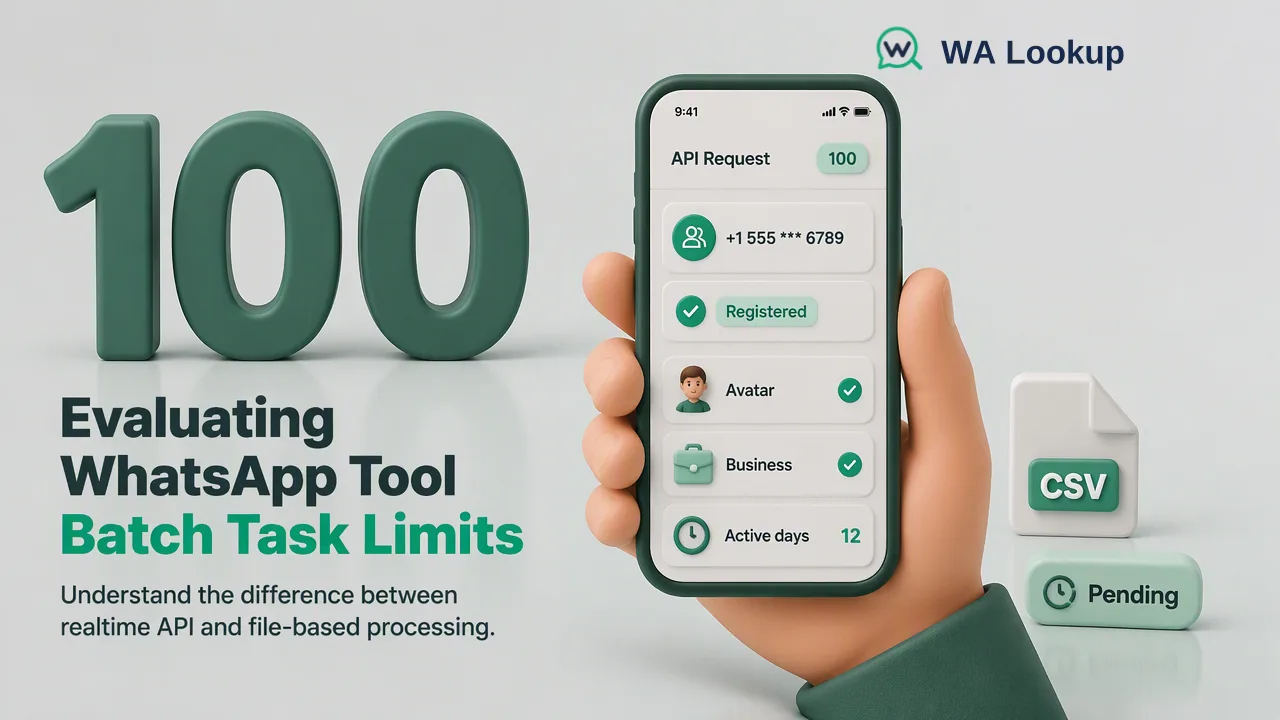
A useful buyer checklist connects each lookup claim to a concrete team workflow and a documented result.
A WhatsApp number lookup tool should be evaluated by the exact signal it returns, how it handles uncertain outcomes, and whether its input workflow fits the size of your list. Registration, profile-image availability, and business-account type answer different questions. A buyer should also inspect documentation for billing, access methods, and regional restrictions before integrating the result into a CRM.
Which WhatsApp number lookup tool signals are needed?
Start with the decision the team wants to support. A registration check asks whether a submitted number has a WhatsApp account at check time. WA Lookup also offers separate avatar and business-account checks. Its avatar check reports profile-image availability for the selected account; it does not inspect WhatsApp's cartoon Avatar stickers. Its business check reports the account-type signal. Neither supplementary signal replaces the registration result, and a false avatar or business value should not be translated into “unregistered.”
Ask vendors to name each check and show the meaning of a completed positive, completed negative, and unresolved outcome. Avoid a dashboard that collapses every result into a generic “valid” label. A contact-data team needs to know whether the label means format validity, network type, WhatsApp account presence, or another observation. If the team's target is WhatsApp-specific outreach planning, registration is the central question; optional signals should be added only when they serve a defined segmentation rule.
Account type is particularly easy to overread. A business-account signal can support one CRM segment, but it is not legal company verification or permission to contact. A profile-image signal is likewise a narrow observation, not an identity check. Write these definitions into the procurement checklist so that a later integration does not turn them into claims the tool never made.
Check the input workflow at each list size
A buyer should test the flow on paper before testing it with real data: one number during contact review, a small group in an interactive session, and a much larger file during list maintenance. WA Lookup provides dashboard realtime checking and synchronous REST calls for one number or a small multi request. Its API multi request accepts up to 100 numbers; the dashboard Realtime Batch Check accepts up to 500 pasted numbers. In both realtime paths the result arrives in the initiating response, which describes the request flow rather than promising a response time.
For a list far beyond a realtime request, WA Lookup has separate asynchronous file tasks. A team submits a TXT or CSV file, waits for processing, and downloads the result file when complete. Per-product limits apply; the current API documentation is the place to confirm them before preparing a production export. Do not judge a tool by a single advertised “batch” number without identifying whether that number describes an API request, a pasted dashboard session, or a file task.
The workflow choice also affects how a team joins results back to its source records. Keep the original phone field, the normalized submitted number, a stable internal contact key, and the check date in the team's own data process. For file tasks, review the downloaded result and reconcile it against the submitted list before updating CRM segments. This is a team-side data practice, not a claim that the lookup tool edits the CRM.
Demand a clear undecided state and billing explanation
A buyer needs three operational categories: a completed registered result, a completed not-registered result, and a check that could not be decided. The third category should have a separate review path. WA Lookup's public contract distinguishes an undetermined or service-error response from a decided not-registered result. A team can retry or investigate an unresolved record according to its own policy, but should not silently convert it to a negative observation.
Ask how completed checks, including negative results, are charged, and how file tasks reserve and reconcile balance. WA Lookup charges completed registered and not-registered results. Its bulk flow reserves balance at submission, returns unused reserved balance after processing, and releases the reserve on task failure. These details are more useful than a headline price because they show how duplicate inputs, unresolved outcomes, and task failures affect an operating workflow. Check the current pricing page for up-to-date plan and usage terms.
Put billing questions into the acceptance review: Which events count as completed checks? Where can an operator review balance and validation history? What happens if a file task fails? Keep these questions separate from the content of the registration result. A billable decision is not a stronger identity signal; it only describes how account usage is recorded.
Assess API, MCP, and account administration
For a developer team, the tool needs a documented path from a request to a contact field. WA Lookup documents a realtime single endpoint, a synchronous multi endpoint, and separate bulk task endpoints. Its dashboard includes API keys, balance, validation history, and bulk task status. A buyer should examine authentication, error handling, concurrency controls, and timeouts in the API reference, then write an integration that preserves decided and undecided states separately. The current public documentation describes per-user concurrency and timeout controls, but buyers should not assume an undocumented per-minute request limit.
Teams using an MCP-compatible AI client can also consider the official WA Lookup MCP server. It uses the existing account, API key, balance, limits, and realtime check semantics, with Bearer-token authentication. It supports product listing, one-number checks, synchronous small-multi checks, and balance lookup. It is not the channel for asynchronous bulk file tasks. If an AI client is used, the organization should apply its normal secret-handling rules and review which requests staff allow that client to make.
An evaluator should ask whether the same account view covers the dashboard, REST API, and MCP work, and how operators can see usage without sharing secrets widely. This is an administrative fit question. It avoids evaluating a tool solely through an isolated API demo.
Review regional rules and record interpretation
International support requires more than accepting a plus sign. The buyer should check the documented regional coverage and file rules for the selected product. WA Lookup's bulk files use TXT or CSV, country-coded numbers, and a selected country; the list should be essentially from that country. Mixed-country exports should be split and reviewed before submission. Realtime inputs and bulk files are different paths, so a regional restriction on one path should not be generalized to every feature.
Finally, decide what the result will mean in downstream records. A registered result can be stored as a dated WhatsApp account-presence observation. It does not establish identity, ownership, consent, message delivery, or a reply. A business-account result identifies account type, not a verified legal entity. If the procurement sheet states these limits once, the integration team can focus on useful actions: segmenting decided outcomes, queuing unresolved entries, and reviewing stale records before use. WhatsApp's registration guidance reinforces that account registration is a distinct phone-number action, not a general business verification.
FAQ
How can teams compare tools that all say they verify WhatsApp numbers?
Ask each vendor to define its registration signal, negative result, and unresolved result. Compare those definitions with the team decision, then inspect how the tool handles one number, a small group, and a larger file.
Can an avatar result identify the owner of a number?
No. An avatar check reports profile-image availability for its selected product. Teams should keep identity evidence and contact permissions in separate processes.
What should teams do with undetermined checks?
Keep them in a distinct review or retry state. An undetermined or service-error response is not the same as a completed not-registered result.
Does MCP replace bulk file tasks?
No. WA Lookup MCP supports realtime single and small-multi checks using the existing account. Large asynchronous file tasks use the separate bulk workflow.
Where should buyers check current limits and billing rules?
Use the current WA Lookup API reference for product limits and request behavior, and the pricing page for current plan and usage terms.
Learn More
Choose the product information that fits the next step in your workflow.