
WhatsApp Number Checker Extension vs API: Which Suits a Business Workflow
Compare browser-extension WhatsApp number checkers with a hosted dashboard and API on setup, account exposure, list size and CRM integration.
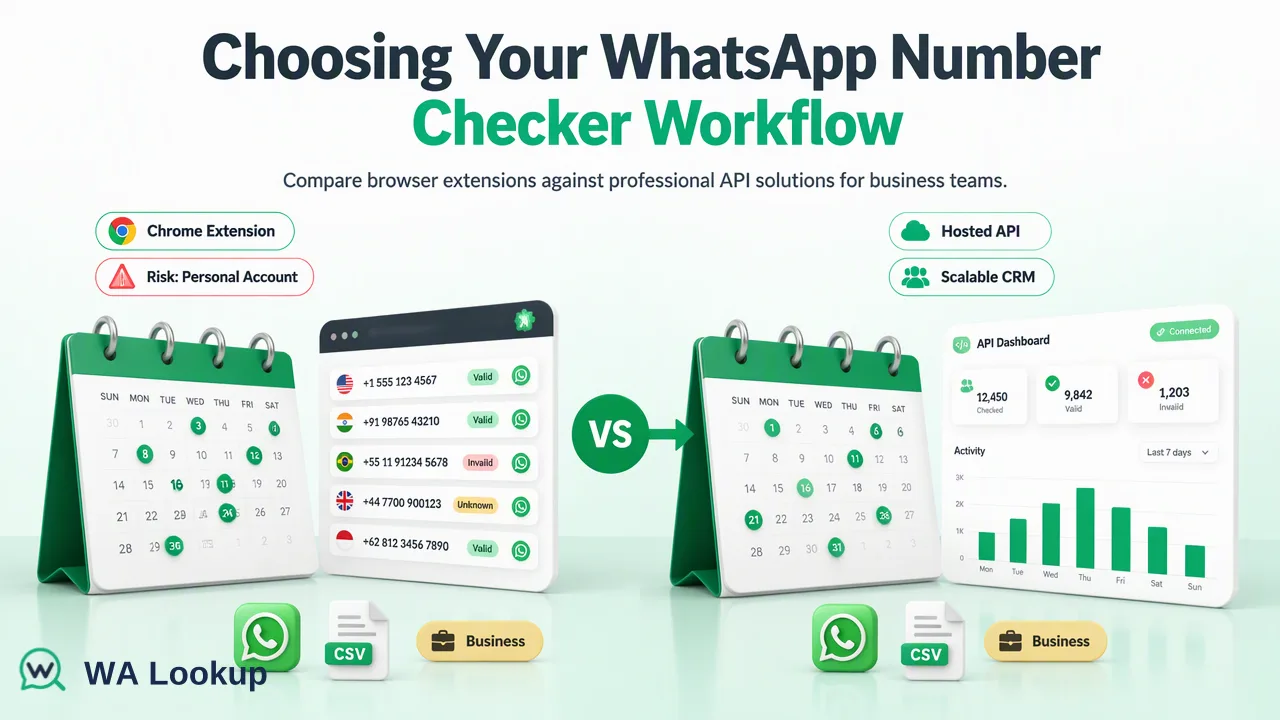
A practical comparison of browser-extension checkers and hosted dashboard-plus-API checkers for business teams.
A WhatsApp number checker extension runs inside your browser and works through a logged-in WhatsApp Web session, which makes it quick to try but ties results to one person, one device and one personal account. A hosted dashboard and API runs on a separate service, so checks do not touch your own WhatsApp session and can feed a CRM directly. For occasional manual lookups an extension can be enough, while teams that check lists regularly or integrate with software usually fit the hosted option better.
How the two approaches differ
Both options answer the same question: does this phone number have a WhatsApp account? They answer it in different places.
A browser extension adds a checking tool to Chrome or a similar browser. Listings for extensions in this category describe point-and-click workflows, CSV upload and export, and sometimes a free tier. Because the extension relies on a logged-in WhatsApp Web session, the check is carried out in the context of an account that belongs to a real person or business line.
A hosted dashboard and API is a web service. You sign in to a dashboard, paste or upload numbers, or send requests from your own software with an API key. The check does not need your phone or a WhatsApp Web login. WA Lookup is an example: one account and balance covers the dashboard, the REST API and an official MCP server for AI assistants.
Marketing pages for both categories make claims that nobody has independently tested, so evaluate them against your own sample of numbers instead of relying on feature lists.
Setup and day-to-day use
| Factor | Browser extension | Hosted dashboard and API |
|---|---|---|
| Starting up | Install, open WhatsApp Web, scan the QR code | Create an account, then use the dashboard or generate an API key |
| Who can use it | The person whose browser and WhatsApp session it runs in | Any team member with access to the account, plus software |
| Needs a phone or session | Yes, a linked WhatsApp account must stay logged in | No linked WhatsApp session of your own |
| Where results appear | In the browser, usually with CSV export | In the dashboard, in API responses, or in a downloadable file for bulk tasks |
| Automation | Manual steps or limited scripting | REST endpoints that backend code can call |
| History and balance | Depends on the tool | Dashboard shows validation history, balance and task status |
The first gap that teams feel is shared access. An extension lives in one browser profile. If the colleague who set it up goes on leave, the process stops. A hosted account can be shared by role, and the API key lets a CRM workflow call the check without anyone opening a browser.
Account exposure and data handling
The most important difference for a business is what the check touches. An extension that works through WhatsApp Web uses your own account to look numbers up. WhatsApp's Terms of Service restrict automated or bulk use of the service, and users of tools that automate a personal session often report limits or warnings after checking many numbers in a row. Outcomes vary by tool, account and volume, and no tool can promise that an account will stay unaffected, so do not run business-critical numbers through a session you cannot afford to lose.
A hosted service keeps that activity off your own account. You still need to handle the data responsibly. Review what the vendor stores, who can see validation history, and how API keys are managed. Never paste a real key into shared documents or screenshots.
Also consider the extension itself. Browser extensions can request wide permissions, so read the permissions and privacy policy before installing, and prefer a tool whose publisher and data practices you can identify.
List size and CRM integration
Extensions suit short lists. Large uploads depend on a browser tab staying open and a session staying active, which is fragile for anything more than a modest batch.
A hosted option can scale in steps that match the task:
- One number at a time, from the dashboard or a single API request, with the result returned in the same response. This fits signup forms and lead capture.
- Small batches, using the dashboard Realtime Batch Check for pasted numbers or the API multi request, which also returns results in the same response.
- Very large lists, using a TXT or CSV file task. You submit the file, wait for processing and download the finished result file. Per-product limits and regional coverage apply, so check the API documentation before planning a big run.
For CRM integration, the API gives a developer the contract to automate the loop: when a lead is created, call the single check, store the registration result and the check date, and route the lead. Documented endpoints include a single check, a synchronous multi check, and file task submission and status lookup. Authentication for the REST API uses an API key header, while the MCP server uses a bearer token with the same key.
An extension has no equivalent loop. Someone must copy results back into the CRM manually, which is error-prone and slow.
How to choose
Use this checklist.
- How often will you check? A few numbers per week is an extension scenario. A recurring list or a signup flow points to a hosted service.
- Who needs the results? If several people or a CRM must use them, choose the option with shared access and an API.
- How much can you risk the account? If the linked WhatsApp account matters to your business, avoid running bulk lookups through it.
- What will you do with the result? A registered result is a check-time account-presence signal for choosing a channel. It does not prove identity, consent or that a message will be read, whichever tool produced it.
- What does it cost at your volume? Compare current plans on each vendor's pricing page. For WA Lookup, the pricing page lists current plans, and decided registered and unregistered results are both charged.
Run a pilot with the same sample of a few hundred numbers through each candidate, compare the outputs, and then decide. If a tool returns an undetermined state, make sure it is reported as its own state, not hidden as "not registered".
FAQ
What is the main difference between a WhatsApp number checker extension and an API?
An extension works through a logged-in WhatsApp Web session in one browser, while an API is a hosted service that software can call. The hosted option does not use your own WhatsApp session for the lookup.
Can a WhatsApp number checker extension put an account at risk?
Tools that automate a personal session can run into limits, and users report warning messages after many lookups. No tool can promise an account will be unaffected, so teams should avoid using a business-critical account for bulk checking.
How can teams connect a number checker to a CRM?
Teams can call a hosted API when a lead is created, store the registration result with the check date, and route the lead based on that value. Extensions usually need manual copying of results.
Which option suits very large contact lists?
A hosted service with file-based bulk tasks suits large lists better, since the file is processed on the service and the finished result is downloaded afterwards. Per-product limits apply and are listed in the current API documentation.
Learn More
Choose the product information that fits the next step in your workflow.