
WhatsApp Contact List Cleaning Checklist: 10 Steps Before Outreach
Format, deduplicate, apply consent and suppression, then check WhatsApp registration. A 10-step list hygiene routine for sales and CRM teams.
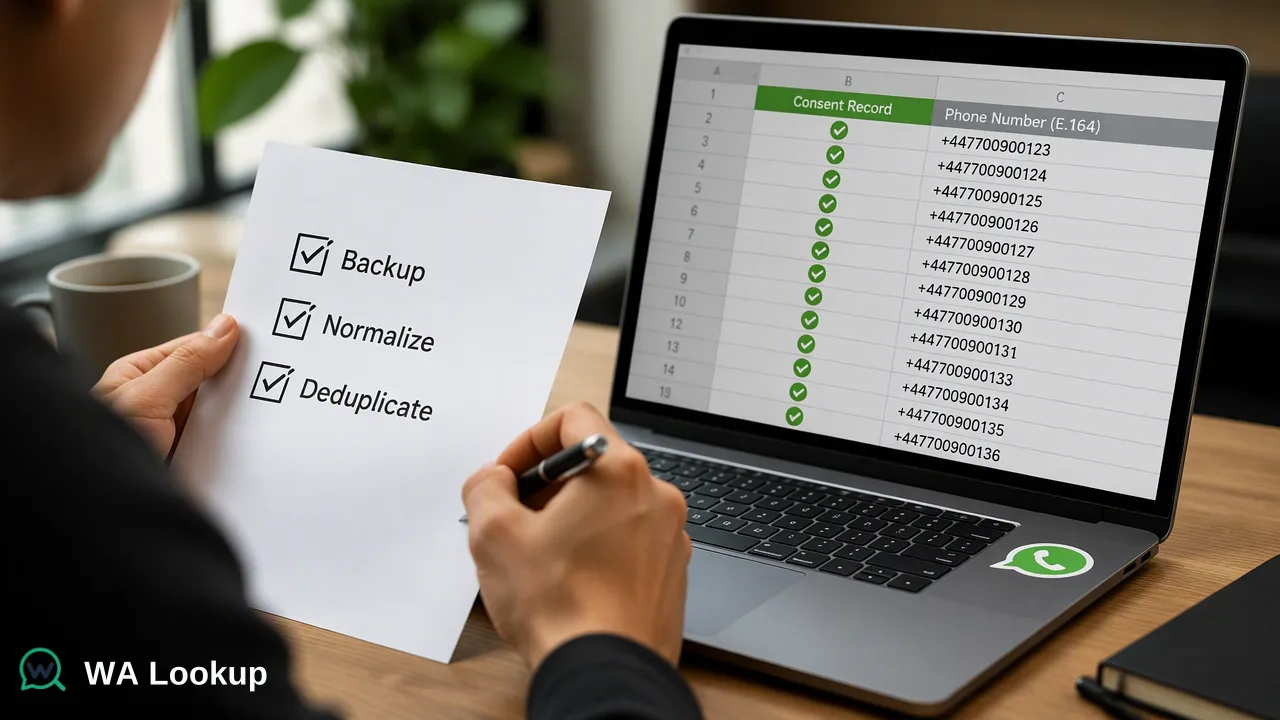
A practical, ordered checklist for preparing a contact list for WhatsApp outreach: file hygiene, international formatting, deduplication, consent records, registration checks and result tagging.
A WhatsApp contact list cleaning checklist covers four jobs in a fixed order: repair the file, convert every number to full international format, remove duplicates and anyone without valid opt-in, and only then check which numbers have a registered WhatsApp account. Running the steps out of order wastes checks on duplicates and malformed numbers. The ten steps below take a raw export to a list that is tagged, consent-filtered and ready for a channel decision.
Why WhatsApp lists need a separate cleaning pass
Generic spreadsheet cleanup fixes names and blank columns, but WhatsApp adds three requirements that most list-cleaning guides skip.
- The country code carries the routing. Meta's documentation on WhatsApp user phone number formats warns that when a recipient number is sent without the plus sign and country calling code, the business number's own country code is applied, which can send a message to the wrong person. A list full of local-format numbers is therefore a misdelivery risk, not a cosmetic issue.
- Consent is a precondition. The WhatsApp Business Messaging Policy allows businesses to contact people only when those people provided their number and opted in, and it requires honoring requests to stop, on or off WhatsApp.
- Recipient feedback affects the sender. The same policy notes that people can block or report a business, and that negative feedback can lead to limits on messaging. Contacting numbers that never agreed to hear from you is the fastest way to accumulate that feedback.
A cleaning pass built for WhatsApp treats formatting, consent and registration as separate gates, each with its own pass and fail rule.
The WhatsApp contact list cleaning checklist at a glance
| # | Step | Pass rule | Typical failure |
|---|---|---|---|
| 1 | Back up the raw export | Untouched copy stored separately | Cleaning the only copy |
| 2 | Fix columns and encoding | One phone column, labeled headers, plain text | Numbers shown as 4.47E+11 |
| 3 | Record source and country | Every row has an origin and a default country | Mixed-country rows with no hint |
| 4 | Normalize to international format | + and country code on every number |
Leading trunk zero kept after the code |
| 5 | Deduplicate on the normalized value | One row per number | Duplicates hidden by different formatting |
| 6 | Apply opt-in and suppression | Only rows with a recorded opt-in remain | Old opt-outs reimported |
| 7 | Run the WhatsApp registration check | Every remaining row has a result or a retry flag | Checking before steps 4–6 |
| 8 | Tag results with a check date | Result and date stored per contact | Results overwritten without dates |
| 9 | Route by result | Each tag maps to a channel or a review queue | Treating no result as not registered |
| 10 | Schedule the next pass | A recheck date before each campaign | Using a months-old result |
The order matters: steps 1–6 reduce the list before any paid check runs, and steps 7–10 turn results into decisions.
Steps 1–5: repair, normalize and deduplicate
1. Back up the raw export. Keep the original file read-only. If a formula or a bulk replace damages a column, the backup is the only way to recover the source values.
2. Fix columns and encoding. Format the phone column as text before importing so that spreadsheet software does not convert long numbers into scientific notation or strip leading characters. Remove invisible Unicode characters, non-breaking spaces and stray quotes that come from copy-pasting web forms.
3. Record source and country. Add a column for where each contact came from (event, web form, partner list) and the country the number belongs to. A local number such as 07700 900123 is only convertible if the country is known. The source column also supports the consent review in step 6.
4. Normalize to international format. Convert every number to E.164: a plus sign, the country calling code, then the national number without spaces, dashes or the domestic trunk prefix. The UK number above becomes +447700900123, not +4407700900123. A parsing library such as libphonenumber handles national prefixes, number lengths and region rules more reliably than hand-written replacements. Rows the parser rejects go to a fix-or-drop queue instead of being guessed.
5. Deduplicate on the normalized value. Compare numbers only after step 4. Before normalization, +44 7700 900123, 07700900123 and 447700900123 look like three contacts; afterwards they collapse into one. Keep the row with the most complete record and the clearest consent evidence, and merge notes from the others.
Step 6: consent, suppression and data accuracy
Meta's opt-in guidance states that a business needs the person's number and their agreement to receive messages, that the opt-in must name the business, and that applicable laws still apply. For list cleaning, that translates into concrete rules:
- Remove rows with no recorded opt-in, or move them to a channel where the team holds valid permission.
- Re-apply the suppression list after every import; opt-outs collected by email, phone or in person count too.
- Keep the opt-in date, wording and source alongside the number so the decision can be reviewed later.
Data-protection regulators also expect contact data to stay accurate. The UK ICO's guidance on the accuracy principle asks organisations to take reasonable steps to keep data correct and up to date, and to correct or erase inaccurate data promptly. Dropping unparseable numbers and refreshing old check results are practical ways to meet that expectation.
Steps 7–8: check WhatsApp registration and tag the results
Only now does a registration check add value. WA Lookup's WhatsApp Registration Check returns an account-presence signal for each submitted number at check time, and the result comes back in the same response as the request.
Pick the method by list size.
- Individual records: run a realtime single-number check from the dashboard or with
POST /api/v1/check, sending one E.164 number and the selected check. - A cleaned list of a few hundred rows: paste up to 500 numbers into the dashboard's Realtime Batch Check tab, or send up to 100 numbers per request to
POST /api/v1/batch-check. - Very large files: an asynchronous bulk task is the add-on route. Upload a TXT or CSV file with one number per line, keep the file essentially to one country, wait for processing, then download the result file. Per-product limits apply; the current API documentation lists them.
Tag every row with three things: the outcome, the check date, and which check was used. Use plain outcomes in the CRM:
| Outcome | Meaning | Next action |
|---|---|---|
| WhatsApp registered | An account was present at check time | Eligible for WhatsApp if opt-in exists |
| Not registered | The completed check found no account | Use another permitted channel |
| No decision | The check could not be completed | Retry later; keep the previous tag |
A check that could not be decided is not the same as a completed not-registered result, so it should never be merged into the not-registered segment. Completed results are charged whether the number is registered or not, which is another reason to finish steps 4–6 first.
Steps 9–10: route contacts and schedule the next pass
9. Route by result. Map each tag to an action before the campaign starts: registered contacts with opt-in go to the WhatsApp sequence, not-registered contacts go to email or SMS where permission exists, and no-decision rows wait for a retry. If the team also needs to know whether a profile photo exists or whether the number belongs to a WhatsApp Business account, the WhatsApp Avatar Check and WhatsApp Business Account Check add those signals on top of registration; neither replaces it.
10. Schedule the next pass. A registration result describes one moment. Set a recheck date before each major send, and recheck any contact whose number was edited. Store old results as history rather than overwriting them, so the team can see when a number changed status.
Common mistakes to catch in review:
- Checking the raw export, then paying again after deduplication.
- Trusting a country default for a list collected at an international event.
- Treating a registered result as consent or as confirmation of who holds the number.
- Deleting no-decision rows instead of retrying them.
- Losing the check date when merging records from two systems.
FAQ
How often should teams clean a WhatsApp contact list?
Run the full checklist whenever a new source is imported, and repeat steps 6–8 before each major campaign. Registration status and consent can both change, so a result from a previous quarter is weaker evidence than a fresh check. Contacts whose numbers were edited should be rechecked immediately.
Can teams skip formatting if the checker accepts local numbers?
Normalizing first is still the safer workflow. The realtime check expects an E.164 number, and Meta's sending documentation shows how a missing country code can redirect a message to a different number. A consistent international format also makes deduplication reliable.
What should happen to contacts that return no decision?
Keep them in a retry queue with their previous tag. A check that could not be completed says nothing about registration, so moving those rows into the not-registered segment would push reachable contacts into the wrong channel.
Which file format works for very large lists?
Asynchronous bulk tasks accept TXT or CSV files with one number per line, and the list should be essentially from one country. Spreadsheet formats such as XLSX need to be exported to CSV first. Smaller cleaned lists can use the dashboard Realtime Batch Check or the API multi endpoint instead.
Learn More
Choose the product information that fits the next step in your workflow.