
What Is a Business Number on WhatsApp and How Do You Check One?
Learn what a business number on WhatsApp is, how it differs from a standard account, and how a business-account check helps segment contact lists.
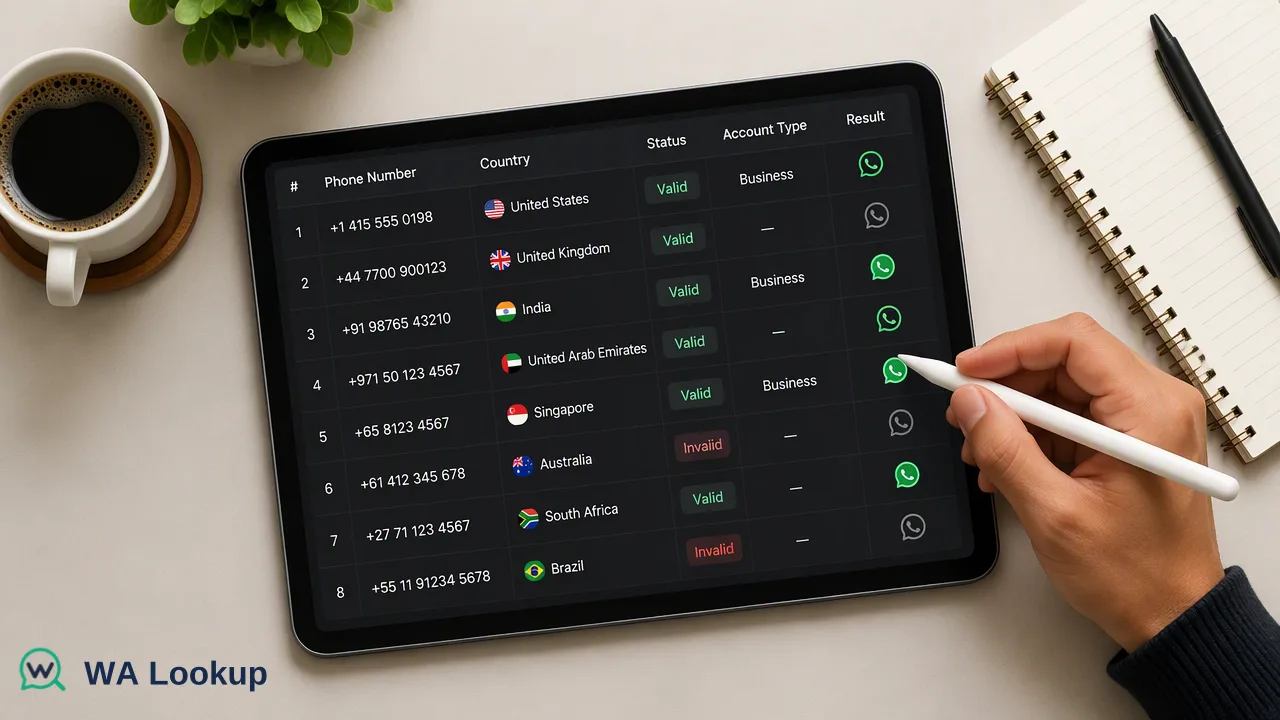
Defines a WhatsApp business number, explains what a business-account check can and cannot tell a sales team, and shows how to use it on one number or a list.
A business number on WhatsApp is an ordinary phone number that is registered to a WhatsApp Business account, either through the WhatsApp Business app or the WhatsApp Business Platform, instead of a standard personal account. It is not a special type of number sold by WhatsApp. A business-account check reports whether a number is linked to that account type, which helps a sales team segment contacts. It does not verify that a legal company exists or that anyone agreed to be contacted.
What a business number on WhatsApp actually is
Many articles on this topic treat "WhatsApp business number" as something you buy or request. In practice, the phone number is the same kind of number anyone uses. What changes is the account the number is registered to. A standard account is the regular WhatsApp app. A business account is registered through one of two products:
- The WhatsApp Business app, a free app for small operators, with a business profile, labels and quick replies.
- The WhatsApp Business Platform, used by larger teams that connect through an API for automation, templates and CRM integration.
Meta's developer documentation on business phone numbers sets rules for the second route: the number must belong to the business, include a country and area code, and be able to receive a verification call or text. A number already in use on a standard account must be removed from it before it can be registered for the platform.
So when someone says "that is a business number", they mean that the number is attached to a business account, not that the digits themselves look different.
Business account versus standard account
| Aspect | Standard account | Business account |
|---|---|---|
| Intended use | Personal conversations | Customer-facing conversations |
| Profile | Name and optional picture | Business profile with details such as description and links |
| Tools | Basic chat features | Labels, quick replies, catalogue and, on the platform, templates and automation |
| How it is identified in a check | Business flag false | Business flag true |
The business profile is the visible difference for the person on the other end. For a list owner, the difference that matters is the account type attached to the number, which a check can report without opening a chat.
What a business-account result tells a sales team
A positive business result is an account-type signal at check time. It is useful for several concrete jobs:
- B2B segmentation. A list of company contacts often mixes shop-front or support lines with personal mobiles. Knowing which numbers sit on business accounts helps route those leads to a business-focused sequence.
- Channel choice. Some numbers will answer through a business inbox managed by a team. Others are a person's own phone. The right opening message differs.
- Data enrichment. Account type is a clean field to add to a contact record next to registration status and check date.
- Prioritisation. When a list is large, business-flagged numbers can be reviewed first by account managers.
It is a workflow input and nothing more. It does not confirm that a registered company exists, that the person is a decision-maker, or that they welcome outreach.
What it does not tell you
Keep these boundaries in your process notes so the field is not over-trusted:
- A false business value does not mean personal. A number can belong to a company and still use a standard account, so false is not proof of an unaffiliated individual.
- A true business value is not legal verification. Anyone can set up a business account, so it does not confirm trading status or ownership.
- It says nothing about consent. Collect opt-in separately and honour opt-outs.
- It is not a live signal. An account can change type, so store the check date and re-check on a schedule.
- A false result on avatar or business does not mean unregistered. Registration is a separate check.
If a check could not be decided, treat the row as incomplete. It is not a completed not-registered result.
How to check one number
- Prepare the number in full international format with the country code, without spaces or a leading zero.
- In the WA Lookup dashboard, open the realtime check and select the business-account check.
- Submit the number and read the result in the same session. A completed result is charged whether the number is registered or not.
- Record the account-type outcome and the date in your contact record.
The same check is available through the REST API at POST /api/v1/check for one number, using an API key from the dashboard, and through the official MCP server for AI clients that use the same account. Eligible new accounts automatically receive 100 free checks once after registration, which is enough to test a sample. Details on balance and plans are on the pricing page.
How to check a list of numbers
For a small list, paste up to 500 numbers into the dashboard's Realtime Batch Check tab and read results in the same session. For automated jobs, the API multi endpoint, POST /api/v1/batch-check, accepts up to 100 numbers per request and answers in the same response. For lists far beyond that, a business-account bulk file task is available: upload a TXT or CSV file, wait for processing, and download the result file. Per-product limits apply, so confirm them in the current API documentation.
Before running a list:
- Normalise every number to international format.
- Remove duplicates, since each completed check is charged.
- Split the file by country if you plan to use a file task, because the list should be essentially one country.
- Keep undetermined rows apart and retry them later.
After the run, add three fields to the record: registration status, business-account flag and check date. Segments can then be built on the flag while staying clear that it is a signal.
Using the result responsibly
Segmenting by account type is a reasonable data-quality step. Treat it like any other enrichment field: document why you hold it, keep only what your routing needs, and let people opt out. Some teams add a short rule to their playbook, for example reviewing business-flagged leads manually before sequencing. Such rules are your own internal choice, not a requirement of any tool.
Avoid wording that overstates the signal in sales notes. "Business account at check time" is accurate. "Verified company" is not.
FAQ
Is a WhatsApp business number a different kind of phone number?
No. It is a regular phone number registered to a WhatsApp Business account through the Business app or the Business Platform. The account type is what differs.
How can teams tell whether a number uses WhatsApp Business?
Run a business-account check on the number in international format. The result reports whether the number is linked to a business account at check time.
Does a business result prove a company is legitimate?
No. It identifies account type only. It does not confirm legal company status, ownership or consent to be contacted.
What does it mean if the business result is false?
It means the number was not identified as a business account in that check. It does not prove the number is personal, and it does not mean the number is unregistered.
Learn More
Choose the product information that fits the next step in your workflow.