
Phone Number Check for WhatsApp: What a Registration Check Shows
Format a number internationally, pick the registration, avatar or business-account check, and read a WhatsApp result as an account-presence signal.
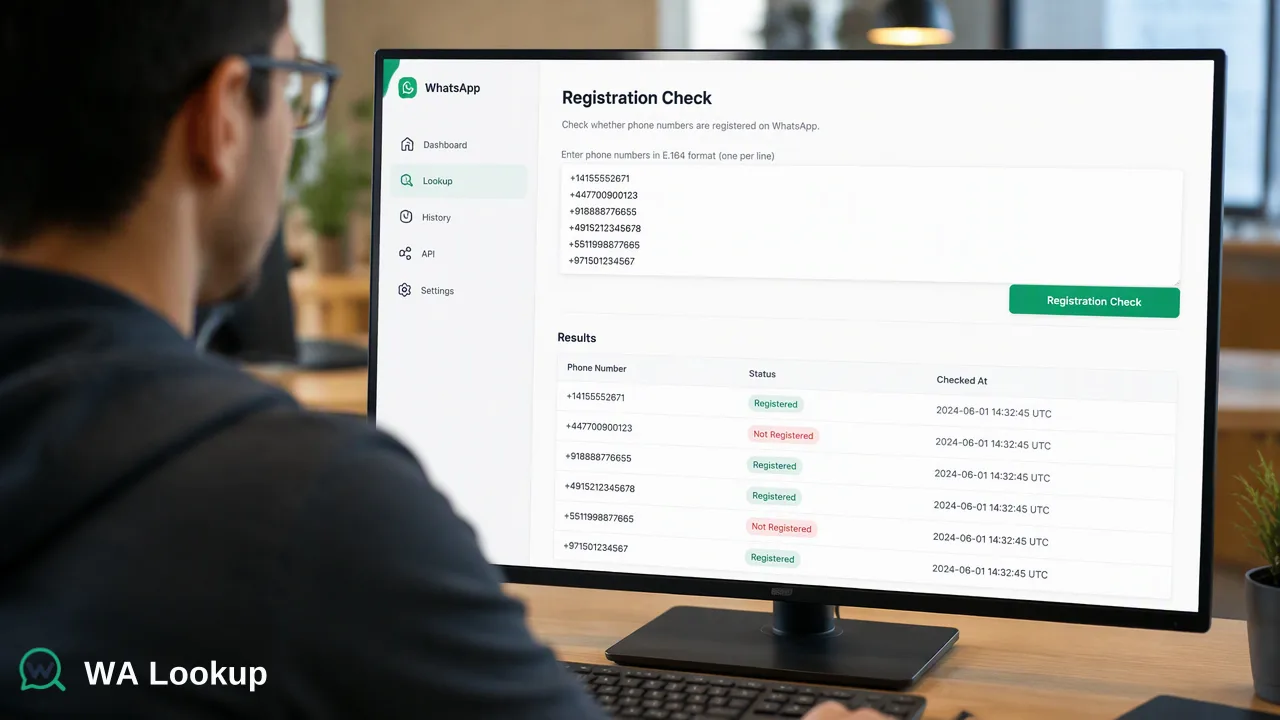
A step-by-step phone number check for WhatsApp: international formatting, choosing the right check, and reading the result correctly.
A phone number check for WhatsApp tells you whether a WhatsApp account was registered on that number at the moment of the check. To run one reliably, write the number in full international format, choose the registration, avatar or business-account check, and read the result as an account-presence signal for that time. A registered result supports a decision about trying WhatsApp as a channel; it says nothing on its own about who uses the number.
What a phone number check for WhatsApp shows
Most guides on this topic describe the manual trick of saving a contact and looking for it in the app, or opening a click-to-chat link. Those methods answer the same basic question, but they are slow, hard to record, and easy to misread when the number was typed in the wrong format.
A WhatsApp check answers a narrow question: was a WhatsApp account registered on this phone number when the check ran? The answer is useful for:
- deciding whether to try WhatsApp before email, SMS or a call;
- marking which numbers in a contact list can be reached on WhatsApp;
- spotting numbers that were typed incorrectly, because badly formatted numbers often come back not registered.
The result is a signal at a point in time. People change numbers, delete accounts and move to new phones, so a check from last year describes last year. Store the check date next to the result.
Step 1: Write the number in international format
Formatting causes more wrong answers than anything else. WhatsApp itself asks for numbers in full international format: country code first, without the leading zeros, brackets or dashes of a local number, as its click to chat help page explains. Checking services work the same way and expect E.164, the international numbering format defined by the ITU.
The conversion follows three rules:
- Start with a plus sign and the country calling code.
- Remove the national trunk prefix, which in many countries is a leading 0.
- Remove spaces, dashes, slashes and brackets.
| Written locally | Country | International format |
|---|---|---|
| 0151 2345 6789 | Germany | +4915123456789 |
| 030 1234567 | Germany (landline) | +49301234567 |
| 0664 1234567 | Austria | +436641234567 |
| 079 123 45 67 | Switzerland | +41791234567 |
Two details matter for German-speaking lists. Numbers are often stored with the 0 in brackets, such as +49 (0)151 2345 6789; the bracketed 0 must be dropped. And numbers sometimes arrive with 0049 in place of +49; convert the 00 to a plus sign. For long lists, a parsing library such as Google's libphonenumber handles these cases better than manual editing.
Step 2: Choose the registration, avatar or business-account check
WA Lookup offers three realtime checks. Each returns the registration answer; two add one more piece of information.
| Check | What it adds | Typical use |
|---|---|---|
| WhatsApp Registration Check | Registration only | Channel decisions, list cleaning |
| WhatsApp Avatar Check | Whether a profile photo is available, with a link when there is one | Enriching contact records, giving reviewers context |
| WhatsApp Business Account Check | Whether the account is a WhatsApp Business account | Separating business accounts from standard ones |
Pick the check that answers the decision you need to make. If the only question is whether WhatsApp is worth trying, the registration check is enough. Every completed check is charged, whether the result is registered or not registered, so adding avatar or business checks only makes sense when the extra field will be used.
Step 3: Run the check for one number or a short list
In the WA Lookup dashboard, realtime checking takes one number, the selected check type, and shows the result in the same session. There is nothing to upload and no waiting for a file.
For a short list, the dashboard's Realtime Batch Check tab accepts up to 500 pasted numbers in the same session. Paste one number per line in international format, choose the check, and read the results on screen.
Developers can run the same checks from code. The REST API checks one number per request with POST /api/v1/check, or up to 100 numbers in one synchronous request. Both return results in the response to the request that sent them, and the same account balance covers dashboard and API use.
For very large files, an async bulk task is available as an add-on: upload a TXT or CSV file, wait for processing, then download a result.csv. Per-product limits for files are listed in the API documentation.
Step 4: Read the result as an account-presence signal
There are three possible outcomes, and each one leads to a different action.
- Registered. A WhatsApp account was registered on the number at check time. WhatsApp is a reasonable channel to try, within your own consent rules and messaging policy.
- Not registered. The check reached a decision and found no WhatsApp account on the number. Before acting on it, confirm the number was formatted correctly. If it was, use another channel for this contact.
- Could not be decided. Sometimes a check cannot reach a decision and returns an error code instead of a result. This is not a not-registered answer. Leave the field empty and check the number again later.
For the avatar check, a missing profile photo does not mean the number is unregistered; many users simply have no photo, or limit who can see it. For the business-account check, a business result describes account type. It does not confirm that a registered company stands behind the account, and a standard-account result does not mean the person has no business role.
In every case the result describes the number, not the person. It does not tell you who holds the number, whether they agreed to be contacted, or whether a message will be read.
Manual methods compared with a dedicated check
The manual methods still have a place for a one-off number. They do not scale, and they leave no record.
| Method | How it works | Limits |
|---|---|---|
| Save as a contact in the app | Add the number to the phone book and look for it in WhatsApp | Fills the address book; slow for more than a few numbers |
| Click-to-chat link | Open wa.me followed by the number in international format | One number at a time; result is only on screen |
| Dedicated check service | Submit numbers in the dashboard or through the API | Each completed check is charged; results can be stored and exported |
WhatsApp also notes on its click-to-chat page that the link works only when the number has a WhatsApp account, which is why the link method is often used as a manual test. For anything beyond a few numbers, a service that records results and dates is easier to audit.
Common mistakes when checking numbers
- Keeping the trunk 0. +49 0151... is a different string from +49151... and is a frequent cause of false not-registered results.
- Mixing countries without country codes. A list of local numbers from several countries cannot be converted correctly unless each row records its country.
- Treating an undecided check as not registered. Store it as pending and check again.
- Checking the same number twice in one run. Normalize first, then remove duplicates.
- Never refreshing. Re-check numbers before a new campaign if the last check is old.
- Reading too much into the result. A registered account supports a channel decision. Consent and the content of your messages remain separate questions.
FAQ
How can teams check a phone number for WhatsApp without saving it as a contact?
Use a check service such as the WA Lookup dashboard, which takes a number in international format and returns the registration result in the same session. The click-to-chat link is another manual option for a single number.
Why does a correctly typed number sometimes come back not registered?
The most common reason is formatting: a kept trunk 0, a missing country code, or a wrong country for a local number. If the format is correct, the number may simply have no WhatsApp account at the time of the check.
Which check should a team start with?
The WhatsApp Registration Check covers most channel and list-cleaning decisions. The avatar and business-account checks are worth adding when a contact record or a segmentation rule actually uses that extra information.
How often should results be refreshed?
A result describes the number at check time. Many teams re-check before each new campaign or when the last check is several months old, and store the check date with every result.
Learn More
Choose the product information that fits the next step in your workflow.