
Product guidance
Understanding Phone Checker Signal Categories for Business Workflows
Learn how to interpret phone checker signal categories for WhatsApp, including registration, avatar, and business status checks for business workflows.
Learn how to interpret different phone checker signal categories, including WhatsApp registration, avatar availability, and business account status, to inform internal review processes.
Phone checker signal categories provide specific, point-in-time data about a submitted phone number's status on a messaging platform. A basic registration signal confirms account presence, while enrichment signals like avatar availability or business account status provide additional context for internal review. These signals are synchronous, decision-support tools meant to inform business workflows. Understanding these categories helps teams route records effectively and refine their data-validation processes.
The Role of Platform-Specific Signals
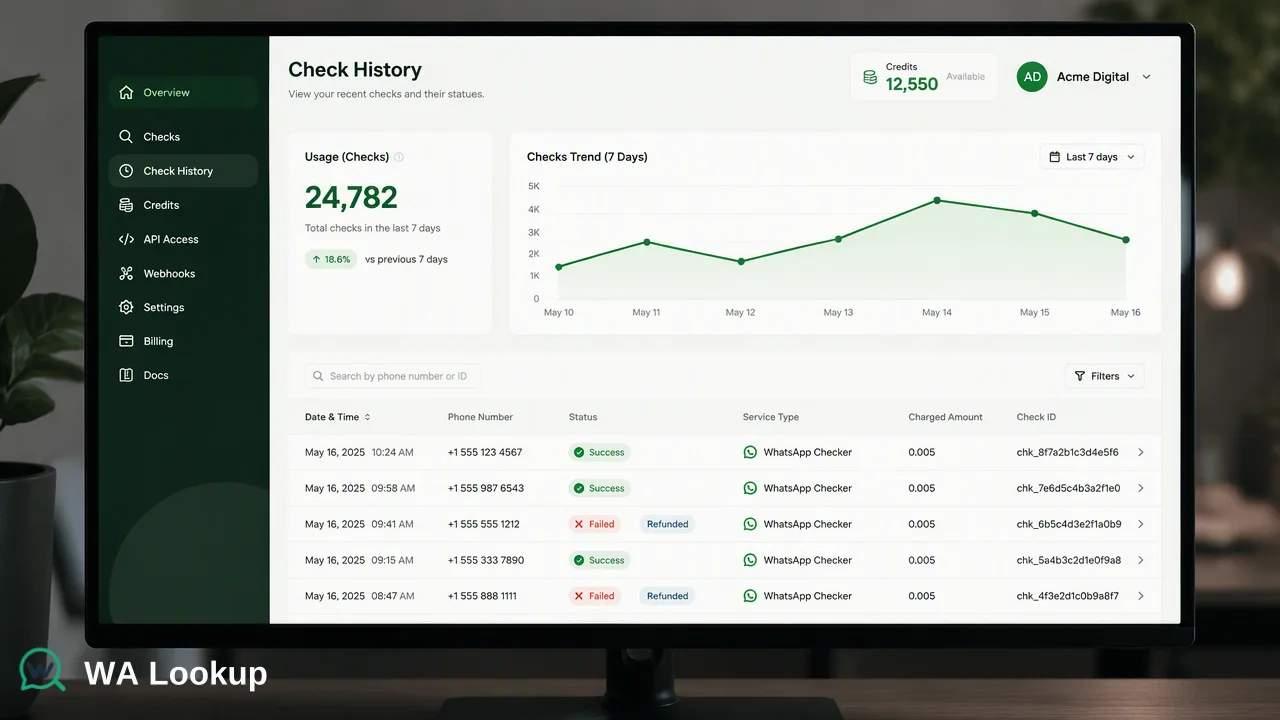
A platform registration signal is a verification check that confirms whether a specific phone number is currently registered on a messaging platform like WhatsApp. In modern data operations, businesses rely on these signals to gather account-presence information at the exact time of the check. Rather than acting as standalone solutions, these signals serve as one input alongside other checks to support prioritization, segment lead lists, and inform internal due diligence. Managing these signals requires a centralized operational hub. The WA Lookup dashboard supports this workflow by providing tools for API key management, balance tracking, and check history. Teams can monitor product-level reporting, view recent checks, analyze balance spend, and observe account activity. By integrating these platform-specific signals into a broader workflow, organizations can better understand the status of submitted numbers and route records according to their internal business logic.
Distinguishing Between Signal Categories
Understanding the distinction between different service types allows teams to retrieve granular data while managing costs per check. All three WhatsApp products use one synchronous endpoint, where the service_type parameter controls which fields are returned and which balance cost applies.
WhatsApp Checker (ws)
The basic WhatsApp Checker is designed to confirm whether a submitted phone number is registered on WhatsApp. When a request is made with the ws service type, the API returns only the registered field. This provides a straightforward account-presence signal without additional profile data.
WhatsApp Avatar Checker (ws_avatar)
The WhatsApp Avatar Checker adds profile enrichment to the basic registration check. By using the ws_avatar service type, the response includes the registration status alongside an avatar boolean and an avatar_url string. The URL field is empty when no URL is available. This signal tells teams whether the account has an avatar set, adding one more piece of context to a lead.
WhatsApp Business Checker (ws_business)
The WhatsApp Business Checker identifies whether the registered account uses WhatsApp Business. Submitting a request with the ws_business service type returns the registration status and adds a business boolean. This specific signal informs workflows that need to differentiate between standard user accounts and business profiles.
Technical Implementation and Workflow
Integrating phone checker signal categories requires adherence to specific input formats and API contracts. First, all submitted phone numbers must be formatted in E.164 standard. The documented request contract utilizes a POST /api/v1/check endpoint. Requests must include an X-API-Key header and a Content-Type: application/json header. The JSON body requires two fields: service_type (accepting ws, ws_avatar, or ws_business) and identifier (the E.164 formatted number).
For a completed WhatsApp check, the returned data contains service_type, identifier, and registered; ws_avatar also includes avatar and avatar_url, while ws_business includes business. Internal record, transaction, status, and billing fields are not returned.
Review balance and check history in the dashboard; see the pricing page and API documentation for current billing rules.
Interpreting Results for Decision Support
While phone checker signals provide valuable context, it is essential to understand their boundaries to avoid misinterpreting the data. A registered result reports the WhatsApp status fields available at the exact time of the check. It does not report live presence, message history, consent, or whether the number can be contacted. These signals are designed strictly for decision support. Teams should use these signals to inform internal routing, review processes, and data hygiene efforts, recognizing them as one component of a broader operational strategy rather than a definitive solution for compliance or user verification.
FAQ
What is the difference between a registration check and a business status check?
A basic registration check confirms whether a submitted phone number is registered on WhatsApp, returning only the registration status. A business status check includes the registration confirmation and adds a signal indicating whether the account uses WhatsApp Business. Both use the same endpoint, but the selected service type determines the returned fields.
How are these checks processed within an API workflow?
The checks are processed synchronously. A request is sent to the API endpoint with an E.164 formatted phone number and the desired service type. The verification result is returned in the same HTTP response as the initial request, rather than being delivered asynchronously.