
Why Does a Number Show as Not on WhatsApp?
Check country codes and number formatting, then distinguish a decided not-registered result from an undetermined WhatsApp check.
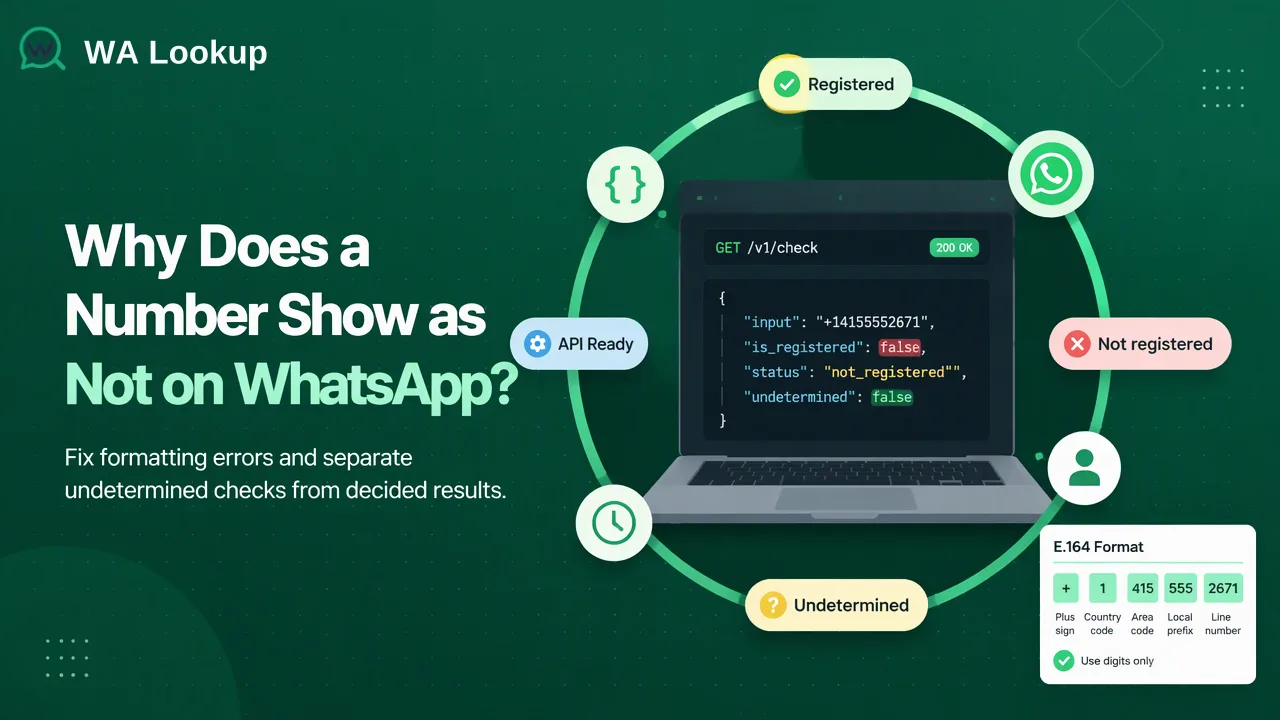
A not-on-WhatsApp result may reflect an unregistered account or a wrongly formatted submitted number; teams should correct the input and separate decided from undetermined checks.
A number may show as not on WhatsApp because the submitted international number is wrong or because the correctly submitted number has no registered WhatsApp account at the time of the check. Start by confirming the country code and local number format, then run a registration check on the corrected number. A decided not-registered result is different from a check that could not be determined and should be handled separately.
First confirm which number was actually checked
A contact record may display a familiar local number while a checking tool needs its full country-coded form. If the country code is missing, a locally meaningful string may point to a different number or fail validation. The first troubleshooting step is therefore to compare the submitted value with the source contact record and identify the country that issued the number. Do not assume the CRM's country field is correct merely because it is filled in.
WhatsApp's own instructions for entering a number say to use the full international format and remove leading zeros or exit codes that are not part of that format. The WhatsApp registration help page provides this guidance for account registration; the same formatting discipline is useful when preparing a number for a lookup. The ITU's E.164 numbering plan defines the international numbering structure.
A simple review sequence is to preserve the raw value, establish the correct country, remove presentation characters such as spaces and parentheses, and normalize the national part according to that country's numbering rules. A leading zero is not always handled identically in every numbering plan, so avoid a blanket spreadsheet formula that strips every zero. Check an authoritative country-specific example when the format is unfamiliar. Keep the normalized value as text so a spreadsheet does not lose a plus sign or alter long digits.
If the source record is ambiguous, ask the contact to confirm the number instead of guessing a country code. Testing several speculative variants can create more confusing records. A corrected number should be linked to the original CRM contact with a note describing why the value changed.
Understand a decided not-registered result
After formatting is confirmed, a completed WhatsApp Registration Check can indicate that the submitted number is not registered on WhatsApp at check time. That is a specific account-presence finding. It does not mean the number is invalid as a telephone number, that the person does not use another channel, or that the record should be erased. A contact may simply use a different messaging account or may register later.
WA Lookup offers a realtime registration check for one number and a dashboard option for pasted batches. The result of a completed single or realtime batch check arrives in the initiating response. The chosen registration signal addresses whether the submitted number has a WhatsApp account at that moment. It is one input to channel planning, not proof that a message will be received or answered.
For a sales or service team, the useful action is segmentation. Keep a decided not-registered row in the CRM with the check date and the submitted normalized number. Move it out of the WhatsApp-ready working segment, while preserving any legitimate alternative contact method already in the record. If the contact later supplies a corrected number or asks to use WhatsApp, the team can check again. This is less destructive than deleting the person from the master list.
A result can change over time, so a check date matters. Without it, a team cannot tell whether a record reflects a recent decision or a stale lookup from months earlier. Treat the date as part of the evidence for the routing decision rather than as a permanent property of the contact.
Keep undetermined checks in a separate queue
A check that cannot be determined is not the same thing as a completed not-registered result. Do not translate an undetermined outcome into 'not on WhatsApp' in a CRM field, dashboard export, or sales filter. That would convert missing evidence into a negative conclusion.
Create a separate status for the row, such as 'review check outcome,' alongside the normalized input and check date. Review the product's returned outcome and the original number. If the input is malformed, correct it before a new check. If the input appears correct but the check remains undetermined, route it for an appropriate later review under the team's own usage policy. Do not claim that a retry at a particular interval is guaranteed to resolve it.
The distinction also matters for cost and reporting. WA Lookup charges completed registered and unregistered results. An undetermined or service-error outcome is not a completed registered=false finding. Teams reviewing usage should use the current WA Lookup API documentation and pricing page for exact account rules, rather than assuming that all non-positive outcomes are identical. The article's workflow does not require exposing response fields or copying a raw API payload into the CRM.
A clean contact-list decision path
A practical list can carry four columns beyond the original contact data: normalized international number, check date, check outcome, and next action. The action is a business workflow choice, not a claim made by the lookup service. For a completed registered result, the team may keep the row in a WhatsApp candidate segment subject to its consent and messaging rules. For a completed not-registered result, move it to an alternative-channel or correction segment. For an undetermined result, hold it for review. For an invalid or ambiguous input, request a better number.
Before acting on any segment, apply permission rules separately. Account presence does not demonstrate that the person owns the number in the CRM, asked to hear from the business, or is likely to respond. A correctly formatted number may belong to someone else after a record becomes stale. CRM administrators should maintain consent and source information independently of the check outcome.
For a short list, the dashboard's Realtime Batch Check can handle pasted numbers in the same session. For a much larger file, WA Lookup has asynchronous bulk registration tasks: a file is submitted, processing occurs separately, and a result file is downloaded when complete. This is a different workflow from a realtime check, so do not tell an operator to wait for a downloadable result after a single-number lookup. The current documentation describes each path and its applicable limits.
Finally, sample the records moved out of the WhatsApp segment. Look for country-code errors, duplicate contacts stored in different formats, and numbers that were never confirmed with the customer. These data-quality issues are often more actionable than repeatedly running the same uncorrected input. The point of the check is to improve the next decision about the contact record, not to turn one result into a permanent verdict about a person.
FAQ
How can teams check whether a number is written correctly for WhatsApp?
Confirm the issuing country and write the complete international number, preserving the correct national digits. Compare it with the source record and use country-specific numbering guidance when a trunk prefix is uncertain.
What should teams do with a completed not-registered result?
Record the normalized number and check date, then move the row to a correction or alternative-channel segment. Keep the underlying contact record unless a separate data-retention decision says otherwise.
How should teams handle an undetermined WhatsApp check?
Keep it distinct from a decided not-registered result. Review the input and outcome, then queue the record for an appropriate later check or manual confirmation rather than treating it as a negative finding.
Can a registration check confirm who owns a phone number?
No. It supplies a WhatsApp account-presence signal for the submitted number at check time. Identity, ownership, and permission to contact need separate evidence.
Learn More
Choose the product information that fits the next step in your workflow.