
E.164 Format for WhatsApp API Checks: How Local Formats Break Lookups
What E.164 is, how local phone formats break WhatsApp API checks, and a normalization routine to run before submitting numbers for checking.
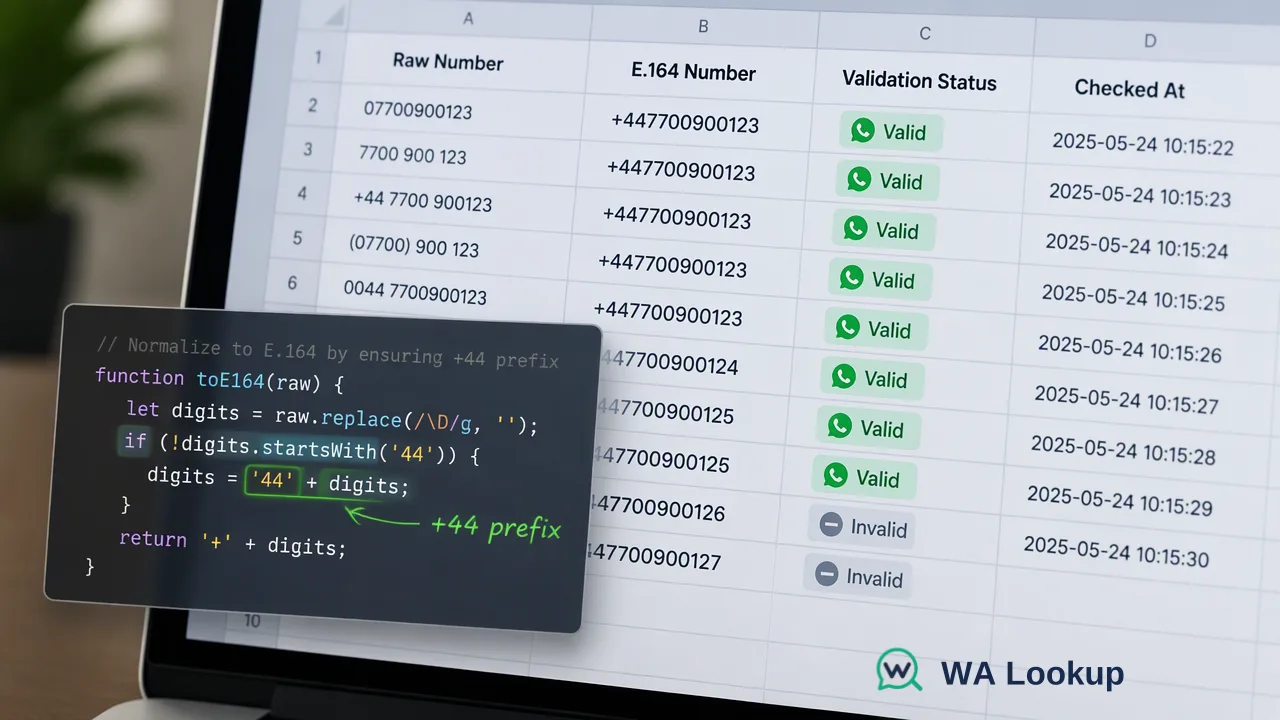
Defines the E.164 format, shows the local-format mistakes that produce wrong WhatsApp check results, and lays out a normalization routine for API and file workflows.
E.164 is the ITU international numbering format: a country code followed by the national number, at most 15 digits, written in its canonical form with a leading plus sign and no spaces, dashes or trunk prefixes. WhatsApp API checks expect numbers in this international form because a local format such as 07700 900123 does not say which country it belongs to. Normalizing every number to E.164 before checking keeps the result attached to the number you actually meant.
What the E.164 format is
ITU-T Recommendation E.164 defines the international public telecommunication numbering plan. For practical data work, an E.164 number has three properties:
- It starts with a country calling code of one to three digits, such as 1, 44, 55 or 971.
- It continues with the national significant number, without the domestic trunk prefix (often a leading 0).
- It is no longer than 15 digits in total, and the canonical written form is a plus sign followed only by digits, for example +447700900123.
What E.164 leaves out is as important as what it includes: no international dialing prefix such as 00 or 011, no parentheses, no spaces, no extensions.
How local formats break WhatsApp API checks
Most pages that rank for this topic stop at the definition. The practical problem is how ordinary CRM data turns into a wrong lookup. These are the patterns that cause it:
| Stored value | Problem | E.164 result |
|---|---|---|
| 07700 900123 (UK record) | Trunk 0 kept, no country code | +447700900123 |
| 0044 7700 900123 | International prefix 00 instead of + | +447700900123 |
| (631) 555-1234 | No country code; ambiguous outside the US | +16315551234 if the record is US |
| +44 (0) 7700 900123 | Optional trunk 0 kept inside the international form | +447700900123 |
| 5511987654321 in a text column | Leading + lost when a spreadsheet stored the value as a number | +5511987654321 |
Meta's WhatsApp user phone number format guidance shows the risk clearly on the sending side: without the plus sign and country code, the business number's own country code can be prepended, so "(631) 555-1234" sent from an Indian business number could resolve to +916315551234 instead of the intended US number. The same ambiguity applies to any check. If the check runs against the wrong number, its result describes someone else.
A normalization routine before checking numbers
Run these steps before any WhatsApp check, whether the numbers go through the API or into a file.
- Store numbers as text. Spreadsheet number cells strip the plus sign and leading zeros, and long values can turn into scientific notation.
- Keep the country with the record. Normalization needs a default region for numbers entered in local form; take it from the contact's country field, not from the sales team's location.
- Parse with a maintained library. Google's libphonenumber parses a raw string plus a region into a country code and national number and formats it to E.164. Its
isPossibleNumberis a length-only check, whileisValidNumberalso uses prefix information for the region. - Quarantine failures. Values that cannot be parsed or fail validation go to a review queue rather than to the checker.
- Deduplicate after normalization. "07700 900123" and "+44 7700 900123" become the same number only after this step.
These steps answer a narrow question: is the string a plausible international number for its region? Whether the number has a WhatsApp account is a separate question that only a registration check answers.
Using E.164 with the WA Lookup API and files
The WA Lookup realtime API takes one submitted phone number in E.164 format for POST /api/v1/check, together with the X-API-Key header and the service_type that selects the WhatsApp Registration Check, the WhatsApp Avatar Check or the WhatsApp Business Account Check. POST /api/v1/batch-check accepts up to 100 numbers per request, and the same normalization applies to every number in it. Follow the current API documentation for the exact request body.
Bulk file tasks have their own formatting needs:
- TXT or CSV only, one country-coded number per line.
- The file should essentially contain one selected country. When 10% or more of the numbers come from other countries, the precheck rejects the file, so split by country code after normalization.
- Mainland China (+86), Hong Kong (+852) and Macau (+853) numbers are not accepted in bulk files; limited realtime single checks support those regions.
Common E.164 mistakes to catch in review
- Assuming every number is domestic. A default region is a fallback for local-format input, not a rule for every row.
- Stripping the plus sign for storage. Keep the canonical form in the CRM; convert only if a specific system requires another representation.
- Keeping extensions. Remove extension text such as "ext. 204" before checking; E.164 has no place for it.
- Treating normalization as permission. A correctly formatted, registered number still needs opt-in before outreach under the WhatsApp Business Messaging Policy.
- Mixing formats in one column. One normalized column used for checking and sending avoids results drifting away from the records they belong to.
FAQ
How can teams tell whether a stored number is already in E.164 format?
The value starts with a plus sign, contains only digits after it, has no trunk zero after the country code, and has 15 digits or fewer. Parsing it with a library such as libphonenumber and formatting it back to E.164 should return the same string.
Does the leading plus sign matter for WhatsApp checks and messages?
It marks the number as international. Meta's guidance recommends including both the plus sign and the country code because a number without them may be interpreted with the sender's country code. For WA Lookup, follow the current API documentation for the exact string expected in the request.
What should happen to numbers that fail normalization?
Send them to a review queue with the original value and the record's country. Checking an ambiguous or malformed string spends balance and can attach a result to a different number.
Why does a bulk file need numbers from one country?
Bulk tasks are submitted for a selected country, and the precheck rejects files where 10% or more of the numbers come from other countries. Normalizing to E.164 first makes it easy to split a mixed export by country code.
Learn More
Choose the product information that fits the next step in your workflow.