
Product guidance
Optimizing CRM Data Hygiene with WhatsApp Registration Verification
Learn how to integrate a CRM contact verification workflow using WA Lookup to check WhatsApp registration signals and improve segmentation.
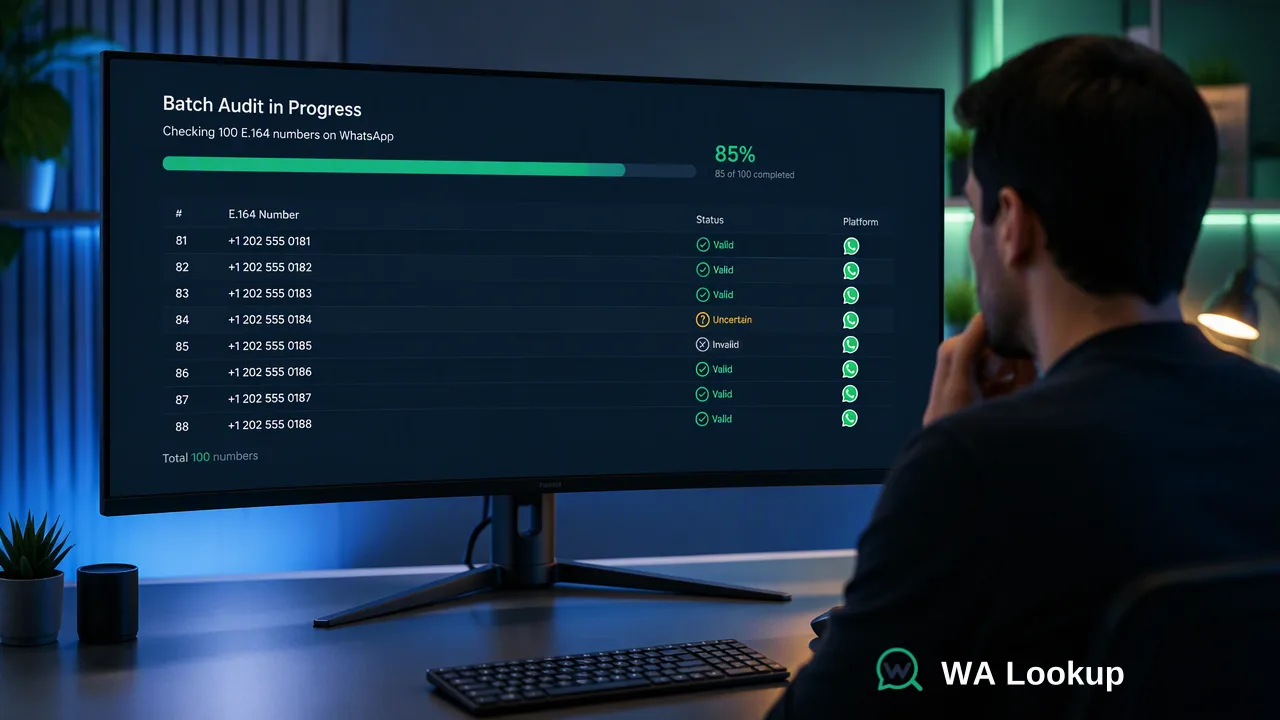
Integrate real-time WhatsApp registration checks into CRM workflows to maintain clean contact records, improve segmentation, and support more effective outreach planning.
Maintaining clean CRM records requires verifying the reachability of contact identifiers. By integrating WA Lookup, organizations can synchronously check WhatsApp registration status, business account signals, and avatar availability. This real-time data allows teams to segment contacts based on platform-specific reachability, supporting outreach efforts directed toward active channels while reducing the impact of unreachable contact records.
The Role of Platform-Specific Verification in CRM Hygiene
Data decay is a persistent challenge for data operations teams managing large customer relationship management (CRM) systems. Contact numbers frequently change, become inactive, or are entered incorrectly during lead capture. When CRM workflows rely on unverified contact data, organizations face inefficient outreach planning and degraded segmentation accuracy. Rather than relying solely on historical data or basic entry formatting, teams can use WA Lookup to confirm whether a submitted phone number is currently registered on WhatsApp. This account-presence signal informs internal decisions, helping sales and support teams prioritize channels that are actively reachable. By systematically checking contact records, organizations can maintain a higher standard of data hygiene, segment audiences more accurately based on platform availability, and allocate operational resources toward valid contact identifiers.
Integrating Real-Time Verification into CRM Workflows
A robust CRM contact verification workflow typically operates at two stages: upon initial data entry and during periodic database audits. WA Lookup supports both stages through a synchronous REST API that returns results in the initiating HTTP response, eliminating the need for asynchronous task submission, polling, or callback management. For real-time lead capture, the CRM can trigger an API call the moment a new contact is submitted. The documented request contract uses POST /api/v1/check with the X-API-Key and Content-Type: application/json headers. The JSON payload requires the service_type and the identifier formatted in the E.164 standard. Because the result is synchronous, the CRM can immediately update the contact record with the returned data, tagging the lead with its platform-specific reachability status before it enters an outreach queue. For periodic database audits, teams can utilize the synchronous batch endpoint. This endpoint accepts up to 100 E.164 identifiers in a single request. The API processes the batch and returns the complete set of results in the same response. This allows data operations teams to efficiently scrub existing CRM segments, updating the registration status of hundreds of contacts in a streamlined workflow. When designing these integrations, technical leads should consult the current API documentation for per-user concurrency and timeout controls to optimize their request architecture.
Improving Segmentation with Account Signals
Beyond basic reachability, WA Lookup provides additional account signals that support highly refined CRM segmentation. Teams can select different service types in their API request to gather specific data points relevant to their operational goals. The outer response envelope for a completed check always includes code, msg, and data, with the contents of the data object determined by the selected service type.
- ws (WhatsApp Checker): This baseline service type returns the
service_type,identifier, and aregisteredboolean. It is ideal for general audience segmentation, allowing teams to filter CRM lists into reachable and unreachable categories for standard outreach planning. - ws_avatar (WhatsApp Avatar Checker): This service type adds profile enrichment by returning
avatarandavatar_url(which may be an empty string). This signal can inform workflows that require richer contact profiles or visual verification steps. - ws_business (WhatsApp Business Checker): This service type adds a
businessfield to the public data object. Business account signals help distinguish between standard contacts and business-affiliated accounts. This is particularly useful for B2B organizations that need to route business-registered numbers to specialized sales teams or apply different engagement strategies.
By mapping these returned fields to custom CRM properties, organizations can build dynamic lists that automatically adjust based on the latest platform-registration signals.
Handling Exceptions and Monitoring Operational Efficiency
An effective CRM contact verification workflow must account for exceptions and provide visibility into system performance. When integrating the WA Lookup API, CRM systems must be configured to handle undetermined checks correctly. If a check cannot be decided, the API returns a non-zero business code and no completed result object. The registered boolean is only present for a completed, decided check. CRM workflows should interpret a non-zero business code as an exception, routing the contact record for manual review or scheduling a retry, rather than marking the number as invalid. To support ongoing operational efficiency, the WA Lookup web dashboard provides comprehensive reporting tools. Data operations teams can manage API keys and monitor the health of their verification workflows through product-level reporting. The dashboard displays check history, recent checks, balance spend, and 7-day trends. This visibility helps managers track the volume of CRM records being processed, audit the success rate of the synchronous batch endpoint, and adjust their data hygiene strategies based on concrete usage metrics. Furthermore, because billing is strictly per check and failed or undetermined checks are refunded automatically, teams can run extensive CRM audits without expending resources on unresolved queries.
FAQ
How does WhatsApp registration verification differ from standard phone validation?
Standard phone validation typically confirms a number against general telecom rules or routing databases. WhatsApp registration verification, by contrast, confirms whether a submitted phone number is currently registered on WhatsApp.
Can verification be performed in batches for existing CRM databases?
Yes, teams can process existing CRM databases using the synchronous batch endpoint. This endpoint accepts up to 100 E.164 identifiers in a single request and returns the whole batch or fails as a whole in the same HTTP response, supporting periodic data hygiene audits without requiring asynchronous polling or task downloads.
What do the different WhatsApp service types reveal about a contact?
The service type determines which data fields are returned in the public response. The 'ws' service type returns the baseline registration status. The 'ws_avatar' service type adds avatar availability and the avatar URL. The 'ws_business' service type adds a business field, which helps teams distinguish between standard accounts and those using WhatsApp Business.