
How to Convert Phone Numbers to E.164 Format Before a WhatsApp Check
Prepare country-coded phone numbers from a CRM export, review ambiguous prefixes, and choose the right WhatsApp check workflow.
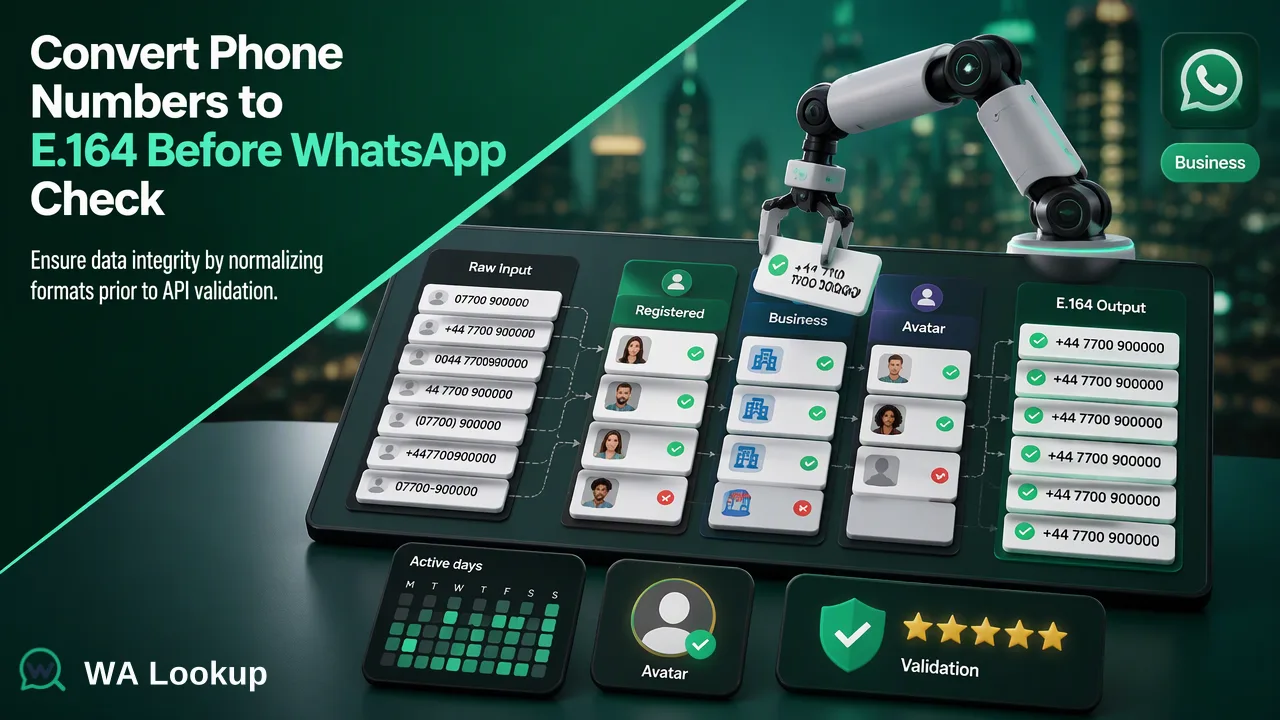
A cautious method for normalizing mixed contact data before a WhatsApp registration check.
To convert phone numbers to E.164 format before a WhatsApp check, identify the country context for each record, parse its national number with that context, and store the international result as text. Review ambiguous prefixes and leading zeros instead of stripping them with one universal formula. Submit only resolved numbers to a suitable realtime or file-check workflow.
Preserve the source data and determine country context
Copy the original export before changing phone fields. Keep a stable row identifier, the raw number exactly as supplied, any country field, and the source of that country value. The raw value matters because a normalization error is difficult to undo if the only copy has been overwritten. Create separate fields for the proposed international number and its review status. A contact with an explicit, trusted country code is easier to parse than a local number with no country information.
Do not assume that a person's language, sales territory, or shipping destination establishes the country of their phone number. These fields can inform investigation, but they can be wrong for travelers, migrants, and businesses with several offices. If a number already begins with a plus sign and a country calling code, preserve that structure and verify the remaining digits. If it begins with a local prefix, use the numbering rules for that country. Google's libphonenumber FAQ explains that a leading zero may be removable in one country but necessary in another. It also cautions that 00 is not a universal substitute for a plus sign.
Create a review bucket for missing countries, conflicting clues, extensions mixed into the phone field, short codes, and numbers with more than one plausible interpretation. Resolve these with reliable source data or a country-aware parser. A guessed number can look properly formatted and still point to the wrong destination. Document why each ambiguous row was accepted, corrected, or excluded so the next import can use the same decision consistently.
Convert phone numbers to E.164 format without losing digits
E.164 is the ITU's international public telecommunication numbering plan. A practical international contact representation starts with a plus sign and country calling code, followed by the national significant number. The ITU recommendation defines the numbering framework. It does not mean a well-shaped string is assigned to a person or registered on WhatsApp; those are separate questions.
Set the normalized spreadsheet column to text before writing any output. A spreadsheet can otherwise treat the plus sign as part of a formula or reformat a long value as a number. Retain spaces, parentheses, and dashes in the raw column for audit, but put a standardized international representation in the normalized column. Separate an extension into its own field rather than sending it as part of the phone number. Use country-specific parsing rules for trunk prefixes. A global remove-the-first-zero formula may damage numbers for which that zero belongs in the international form.
Run a review pass after parsing. Flag outputs with no country code, embedded letters or punctuation, a suspicious length, or an unexpected change from the raw digits. This pass identifies records needing attention; it is not proof that every other value is active or reachable. Deduplicate on the normalized value only after preserving the original rows. Several contacts may share a phone value, and the team may need to trace a later result back to every source record. Preserve a mapping from each normalized number to the original identifier and the rule used to convert it.
Select a WhatsApp check workflow for the prepared list
For a small set of resolved records, WA Lookup offers a realtime WhatsApp Registration Check. The dashboard also offers a pasted Realtime Batch Check, while the REST API has a synchronous multi-check option. These return their results in the initiating response. The WhatsApp number verification page describes the registration check. Its decided result is an account-presence signal at check time. It does not establish identity, ownership, contact consent, or a future response. An undetermined or service-error result should not be merged into the decided not-registered segment.
For a much larger prepared list, WA Lookup supports asynchronous file tasks. Accepted files are TXT or CSV, and a completed task supplies a downloadable result. Check the current API documentation for the selected product's limits and submission rules. A bulk file should be organized around one selected country with country-coded numbers; a large share from other countries can fail precheck. Do not upload a mixed-country master export as though it were ready for one task. Export an accepted text format from the spreadsheet and preserve the source workbook for reconciliation.
The two workflows have different timing and artifacts. A realtime check provides its result in the initiating response. A file task is submitted, processed, then downloaded. Record which normalized rows were actually submitted and which were held back or rejected. This stops an unsubmitted row from being mistaken for a negative result. Teams may choose a smaller realtime batch to inspect formatting before preparing a much larger file, but that is a quality-control choice rather than a requirement of the product.
Reconcile results and keep a conversion trail
Merge the check outcome into the source table by normalized number and stable row identifier. Keep the raw number, normalized value, country context, conversion status, check date, selected check, and result category in separate fields. A decided not-registered result may inform segmentation, but silently deleting the original contact removes context needed for corrections. Rows that could not be normalized or checked belong in a separate review queue.
Before the next import, review a sample from each country group and every ambiguous row. Ask whether a local prefix was handled correctly, whether the country was inferred from unrelated information, and whether spreadsheet formatting changed digits. If a CRM number changes, convert and check that new value rather than reusing a result attached to the old value. A result can only describe what was checked at its recorded time.
A successful preparation process is traceable: every submitted number maps to a source record, every excluded row has a reason, and the check outcome is interpreted at its proper scope. Normalization gives a check suitable input. It does not create permission for outreach or establish that a person controls the account. That distinction is important when a cleaned list is handed from data operations to a sales or support team.
FAQ
How can teams handle a number with no country information?
Keep it in an unresolved bucket until reliable country context is available. Guessing from language or campaign region can create a plausible but incorrect international number.
Should teams remove every leading zero during E.164 conversion?
No. National-prefix rules differ, and some zeros remain part of the international number. Use country-aware parsing and review ambiguous rows instead of applying a universal deletion rule.
Can teams upload an Excel workbook directly for a bulk task?
Prepare an accepted TXT or CSV file with country-coded numbers under the current product rules. Keep the original workbook and row mapping for later reconciliation.
Does E.164 formatting prove that a number is on WhatsApp?
No. E.164 describes an international phone-number representation. A separate registration check supplies an account-presence signal at check time.
Learn More
Choose the product information that fits the next step in your workflow.