
Reviewing Customer Contact Data Before Fulfillment
Learn how to use account-presence signals for contact data review before fulfillment to support internal workflows and flag records for manual verification.
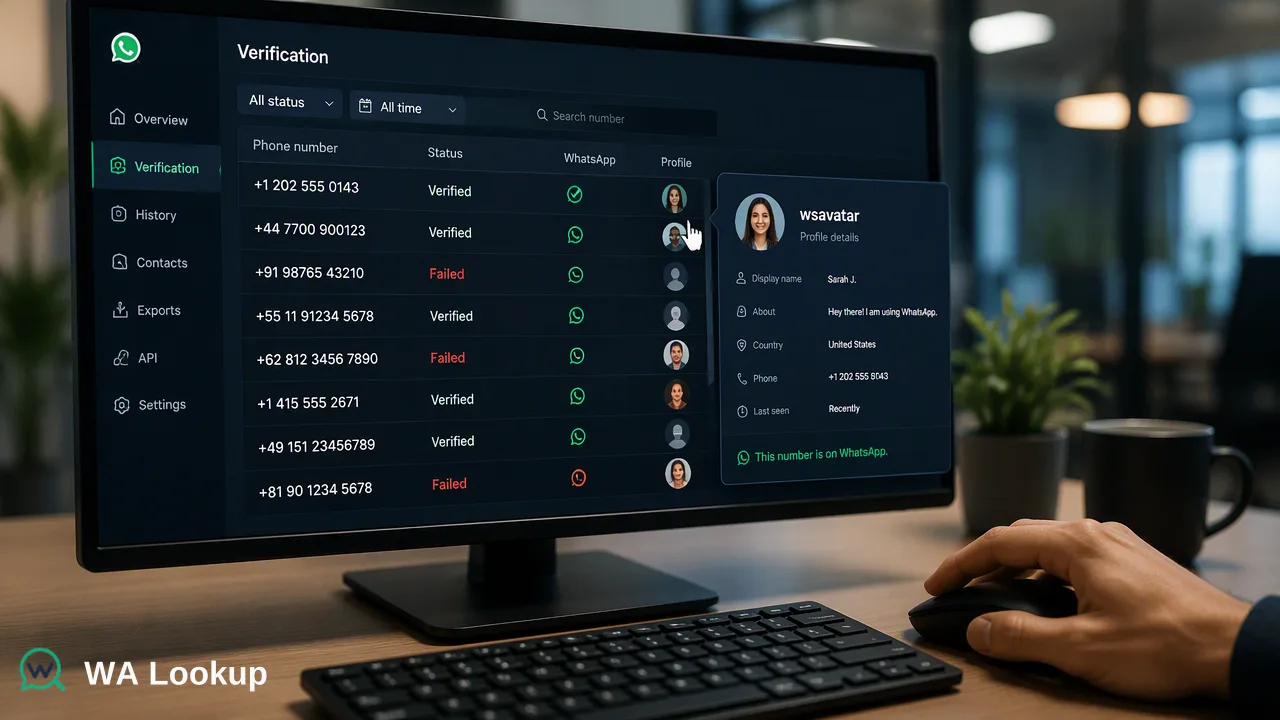
Learn how to integrate account-presence signals into pre-fulfillment workflows to flag contact records for internal review and support data quality efforts.
Reviewing contact data before fulfillment involves using account-presence signals to identify the registration status of a submitted phone number on a specific platform. By integrating these synchronous checks into the pre-fulfillment workflow, teams can flag records for manual review or secondary verification. These signals provide a snapshot of account presence at the time of the check, supporting informed decision-making and internal prioritization rather than guaranteeing delivery, user intent, or identity.
The Role of Data Review in Fulfillment Workflows
Managing contact data quality before order fulfillment is a critical operational challenge for organizations. When teams process orders, they rely on accurate contact information to send shipping updates, coordinate deliveries, and handle customer support inquiries. Incomplete or outdated phone numbers can disrupt these processes, leading to internal inefficiencies and delayed communications. Implementing a contact data review before fulfillment helps teams identify which records require additional attention. Instead of treating all submitted phone numbers equally, organizations can use data review workflows to categorize contacts based on their platform registration status. This categorization supports internal review processes, helping staff prioritize follow-up actions for numbers that have no account-presence signal on the expected communication channels. By establishing a structured review phase, fulfillment teams can maintain cleaner workflow inputs and allocate their manual verification efforts more effectively.
Understanding Account-Presence Signals
When evaluating contact records, teams must understand the specific scope of an account-presence signal. A registration result reports whether a submitted phone number is registered with a platform at the exact time of the check. It serves as a data point indicating account presence, which can be one input alongside other internal checks. It is important to recognize the boundaries of these signals. Organizations should use these signals strictly as decision-support tools to inform internal routing and review, rather than treating them as absolute proof of a user's intent or reachability.
Integrating Synchronous Checks into Fulfillment Pipelines
Organizations can integrate account-presence checks directly into their existing fulfillment pipelines using a synchronous REST API. The WA Lookup platform provides a POST /api/v1/check endpoint that accepts requests authenticated via an X-API-Key header. To perform a check, teams submit a phone number formatted to the E.164 standard along with a specific service_type payload field.
Because the results are synchronous, the API returns the check outcome in the same HTTP response as the initiating request. There is no requirement for asynchronous task submission, polling, or callback workflows. For operations processing larger volumes of contact data, teams can utilize a synchronous batch endpoint that accepts up to 100 identifiers in a single request. This batch endpoint processes the submitted numbers and returns the entire batch in one response, or fails as a whole. If a specific check cannot be decided, the API returns a non-zero business code rather than a completed result object. This architecture supports real-time integration, helping teams flag records for follow-up immediately during the pre-fulfillment stage.
Enhancing Data with Profile Information
Beyond basic registration status, teams can enrich contact records with additional profile information to provide more context for manual review. The WA Lookup API supports different check types controlled by the service_type parameter, specifically ws, ws_avatar, and ws_business.
When teams select the ws service type, the returned data object contains the service_type, the identifier, and a boolean registered field for a completed check. If fulfillment teams require more context, they can use the WhatsApp Avatar Checker by specifying the ws_avatar service type. This check returns the standard registration signal alongside avatar availability and an avatar_url (which may be an empty string). Alternatively, the ws_business service type adds a business field to the response. These enriched signals help teams gather additional context about a contact record, supporting more nuanced internal decisions when flagging accounts for secondary verification before finalizing an order.
FAQ
What does a registration signal indicate about a contact?
A registration signal indicates whether a submitted phone number has an account presence on the platform at the time of the check.
How do teams process multiple contact records simultaneously?
Teams can use a synchronous batch endpoint that accepts up to 100 E.164 formatted identifiers in a single request. The endpoint returns the results for the entire batch in the same HTTP response, without requiring polling or callbacks.
What data fields are returned during a profile enrichment check?
For a standard check using the ws service type, the API returns service_type, identifier, and registered. Using ws_avatar adds avatar and avatar_url, while ws_business adds a business field to the returned data object.
How does the system handle undetermined checks?
If a check cannot be decided, the API returns a non-zero business code and does not provide a completed result object. Billing is per check, and undetermined or failed checks are refunded automatically.