
Product guidance
A Contact Data Hygiene Checklist for CRM Teams
Use this contact data hygiene checklist for CRM teams to standardize formats, audit records, and integrate platform-specific reachability signals.
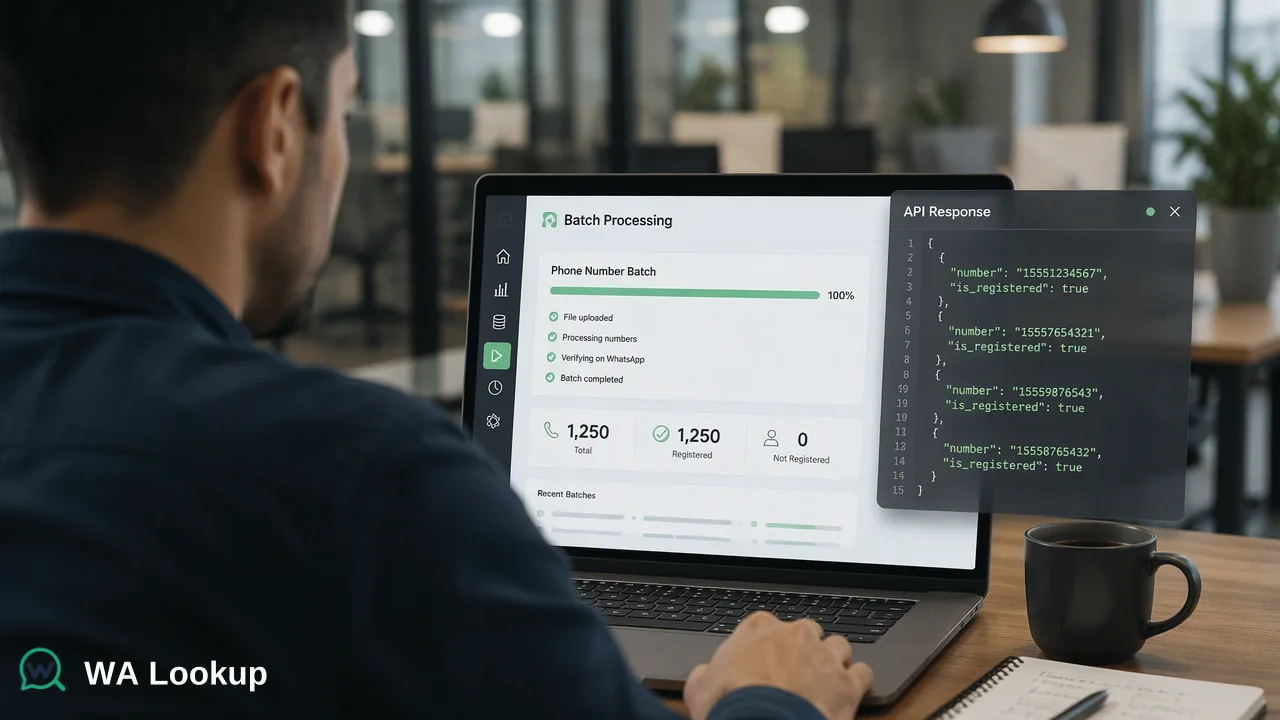
A practical checklist for CRM teams to maintain contact data hygiene through E.164 normalization, periodic audits, and platform-specific reachability signals.
Effective CRM data hygiene requires a systematic approach to standardizing input formats, performing periodic data audits, and integrating platform-specific reachability signals. By normalizing phone numbers to the E.164 standard and verifying WhatsApp registration status, organizations can maintain actionable records. This checklist provides concrete steps for data operations teams to cleanse, verify, and de-duplicate CRM records using synchronous API workflows.
1. Standardize Input Formats
The foundation of any contact data hygiene checklist for CRM teams is consistent data formatting. When contact records enter a CRM from disparate sources—such as web forms, manual entry, or third-party integrations—they often arrive in varying local formats. Standardizing these inputs is a critical first step before performing any advanced verification or routing. Organizations should normalize all phone numbers to the E.164 format. This internationally recognized standard requires a plus sign (+) followed by the country code and the subscriber number, omitting any leading zeros, spaces, or special characters. For teams utilizing the WA Lookup synchronous REST API, submitting numbers in E.164 format is a strict requirement. The documented request contract for the POST /api/v1/check endpoint expects a JSON body containing the service_type and the identifier formatted as an E.164 string. By enforcing this standard at the point of entry, CRM systems avoid downstream errors, support accurate duplicate detection, and prepare records for seamless platform-registration checks.
2. Implement Periodic Data Audits
Contact data decays over time as individuals change phone numbers, switch carriers, or abandon messaging platforms. A robust CRM hygiene strategy includes scheduled, recurring audits to identify which contacts remain reachable. Data operations teams can utilize synchronous batch processing to audit existing records efficiently. The WA Lookup synchronous batch endpoint accepts up to 100 identifiers in one request. Because the results are synchronous, the API returns the whole batch in the same HTTP response as the request, or fails as a whole. This architecture supports straightforward CRM integrations by avoiding asynchronous task-submission, polling, callback, or download workflows. During these audits, teams should handle undetermined checks appropriately. If a check cannot be decided, the API returns a non-zero business code rather than a completed result object. CRM workflows should flag these specific records for a retry or manual review rather than marking them as definitively unreachable. Furthermore, teams should consult the current API documentation for per-user concurrency and timeout controls to optimize their batch processing schedules.
3. Integrate Platform-Specific Reachability Signals
Beyond basic format normalization, integrating platform-specific reachability signals adds significant utility to CRM records. These signals help teams segment audiences and route communications to active endpoints. Teams can select from three distinct check types using the service_type parameter, each returning specific fields in the public data object:
- WhatsApp Checker (
ws): Returnsservice_type,identifier, andregistered. This confirms whether the submitted E.164 number is registered on WhatsApp, providing a baseline reachability signal. - WhatsApp Avatar Checker (
ws_avatar): Returns the baseline fields plusavatarandavatar_url(which may be an empty string). This supports profile enrichment workflows. - WhatsApp Business Checker (
ws_business): Returns the baseline fields plusbusiness. This helps teams identify accounts using WhatsApp Business, which informs B2B segmentation strategies.
By tagging CRM records with these specific signals, organizations can tailor their outreach. For example, records tagged with a positive business signal might be routed to a specialized B2B sales queue, while records lacking a registered signal can be excluded from WhatsApp-specific campaigns to conserve resources.
4. De-duplicate and Cleanse
Duplicate records inflate CRM storage costs, skew reporting metrics, and create disjointed customer experiences. The final step in a contact data hygiene checklist is systematic de-duplication, which relies heavily on the standardized formats and reachability signals established in the previous steps. An E.164 formatted phone number serves as a highly reliable primary key for identifying potential duplicates across different CRM modules. When a system detects multiple records sharing the same E.164 identifier, data operations teams can use the platform-registration signal to inform the merge process. For instance, if a legacy record and a newly acquired lead share the same standardized phone number, a synchronous check can confirm if that endpoint is currently reachable. If the check returns a positive registration signal, the CRM can confidently merge the interaction history under that active identifier. By combining strict E.164 normalization with real-time reachability checks, organizations maintain a single, actionable source of truth for their contact data.
FAQ
How often should CRM contact data be verified?
Organizations typically schedule periodic data audits based on their specific operational cycles, such as quarterly reviews or prior to major outreach campaigns. Using a synchronous batch endpoint that accepts up to 100 identifiers per request supports efficient, recurring checks without requiring complex polling architectures.
What is the difference between phone number format validation and platform registration checks?
Format validation confirms that a phone number string meets structural requirements, such as the E.164 standard, which includes a plus sign and country code. A platform registration check, by contrast, confirms whether the submitted E.164 number is registered on WhatsApp.
How do synchronous batch checks support CRM audits?
Synchronous batch checks process multiple records efficiently by accepting up to 100 E.164 identifiers in a single API request. The system returns the whole batch in the initiating HTTP response or fails as a whole, which simplifies CRM integrations by eliminating the need for asynchronous task-submission, polling, or callback workflows.
What data fields are returned during a WhatsApp registration check?
The outer response envelope for a completed check includes a code, msg, and data object. The public data object always contains the service_type, identifier, and a registered boolean. Depending on the selected check, it may also return avatar, avatar_url, or business fields.