
Product guidance
Resolving WhatsApp LIDs to Phone Numbers: A Guide for CRM Data Integrity
What a WhatsApp @lid identifier is and how to resolve a LID to a phone number, then verify registration, avatar, and Business account signals with the WA Lookup API.
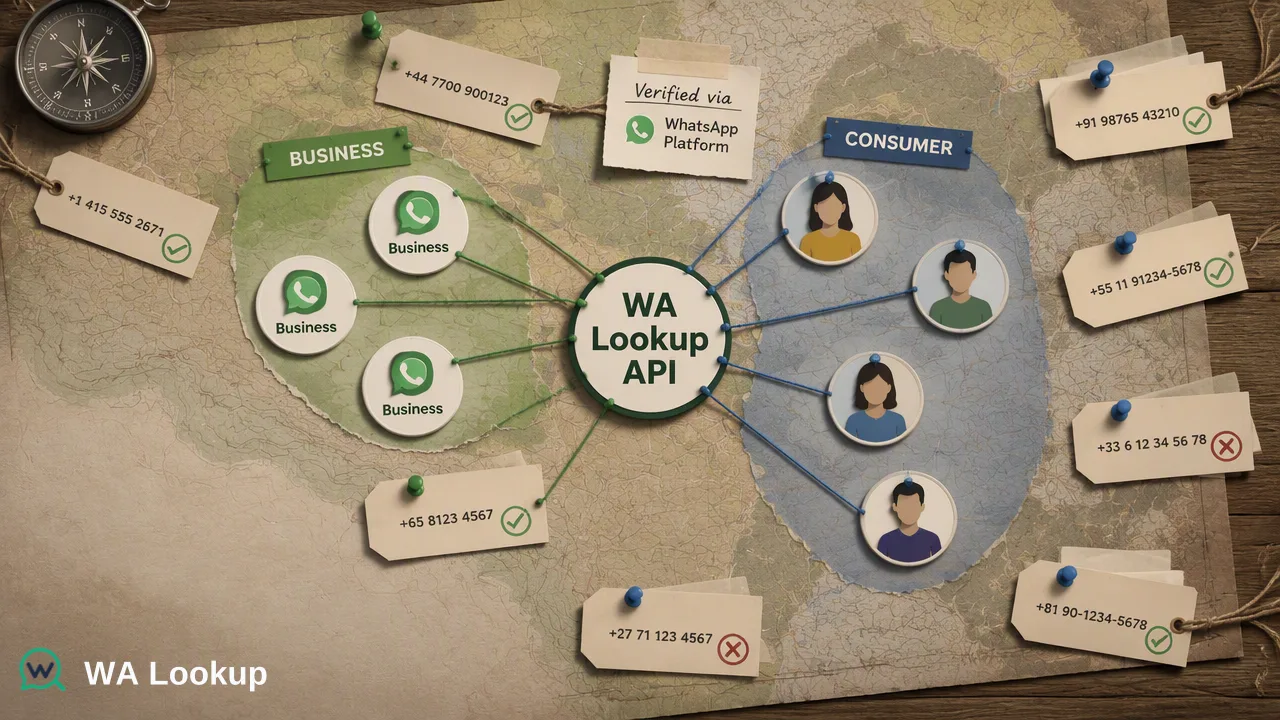
Learn how to use the WA Lookup API for WhatsApp LID to phone number resolution. Verify registration, avatar availability, and business account signals synchronously to support CRM data integrity.
To verify WhatsApp registration and support WhatsApp LID to phone number resolution workflows, use the WA Lookup REST API. By sending an E.164 formatted phone number to the POST /api/v1/check endpoint with a specified service_type (ws, ws_avatar, or ws_business), you receive a synchronous JSON response confirming the account-presence signal. This process helps teams maintain clean contact data and informs CRM segmentation in real time.
Why WhatsApp Verification Matters for CRM Data
Maintaining accurate CRM data requires verifying which phone numbers are associated with specific platforms. When teams integrate WhatsApp LID to phone number resolution workflows, they rely on accurate account-presence signals to segment audiences and route records appropriately. Validating numbers before initiating outreach helps CRM administrators review data quality and prioritize contact lists. A registered result confirms that the submitted number has a WhatsApp account presence at the time of the check. This signal supports internal decisions and can be one input alongside other checks to maintain data hygiene. It provides a foundational data point that informs broader CRM data operations.
Understanding WA Lookup Verification Products
WA Lookup provides three distinct verification products through a single synchronous endpoint. The service_type parameter in your request controls which fields are returned and which balance cost applies.
| Service Type | Product Name | Returned Signals |
|---|---|---|
ws |
WhatsApp Checker | Registration status (registered field). |
ws_avatar |
WhatsApp Avatar Checker | Registration status, avatar availability (avatar boolean), and avatar_url (empty when no URL is available). |
ws_business |
WhatsApp Business Checker | Registration status and WhatsApp Business account signal (business boolean). |
WhatsApp Checker (ws)
This check confirms whether a submitted phone number is registered on WhatsApp. It returns only the registered field, providing a straightforward account-presence signal for basic data validation.
WhatsApp Avatar Checker (ws_avatar)
In addition to the registration signal, this check supports profile enrichment by returning an avatar boolean and an avatar_url string. The URL field is empty when no URL is available and can be used to enrich CRM contact records when populated.
WhatsApp Business Checker (ws_business)
This check confirms registration and identifies whether the account uses WhatsApp Business, returning a business boolean. This helps teams segment B2B contacts from standard consumer accounts during the data ingestion phase.
Integrating the WA Lookup API
Integrating the WA Lookup API into your CRM or data pipeline requires a straightforward HTTP request. The platform uses a synchronous API architecture, meaning the result is returned in the same HTTP response as the initial request, rather than being delivered asynchronously.
To perform a check, send a request to the POST /api/v1/check endpoint. The request must include the X-API-Key header for authentication and a Content-Type: application/json header.
The JSON body requires two fields:
service_type: Set this tows,ws_avatar, orws_business.identifier: The submitted phone number, which must be formatted according to the E.164 international numbering plan.
The E.164 format standardizes phone numbers for global dialing, typically including a plus sign (+) followed by the country code, area code, and local subscriber number. Submitting numbers in strict E.164 format is required for the WA Lookup API to process the request accurately.
For a completed WhatsApp check, the returned data contains service_type, identifier, and registered; ws_avatar also includes avatar and avatar_url, while ws_business includes business. Internal record, transaction, status, and billing fields are not returned.
Routing Records Based on Account-Presence Signals
Once the synchronous API returns the account-presence signal, data operations teams can use the JSON response to inform downstream routing. For example, if a CRM ingests a new lead list, the system can automatically query the POST /api/v1/check endpoint. Numbers that return a positive registered status can be tagged for specific outreach campaigns, while unregistered numbers can be routed to alternative communication channels.
When using the ws_business service type, the workflow can branch further. Identifying a WhatsApp Business account helps teams segment B2B contacts from standard consumer accounts, supporting more tailored communication strategies. Similarly, the ws_avatar check can enrich the visual context of a CRM profile by appending the avatar_url to the contact record. By integrating these checks directly into the data ingestion phase, organizations reduce manual review time and maintain a higher standard of data hygiene across their platforms.
Managing Costs and Dashboard Reporting
Failed, timed-out, and undetermined checks do not retain the charge. See the pricing page for current billing details.
New accounts can contact support for 100 free checks to test registration, avatar, and Business account checks before scaling their workflows.
The WA Lookup dashboard provides comprehensive tools for managing your integration. Administrators can use the dashboard for API key management and to monitor their available balance. The interface also supports detailed check history, product-level reporting, and views of recent checks. To help teams track usage over time, the dashboard displays balance spend and account activity. The product-level reporting allows operations teams to separate the usage of ws, ws_avatar, and ws_business checks, providing visibility into API consumption and CRM data enrichment activities.
FAQ
What is the difference between ws, ws_avatar, and ws_business?
All three use the same synchronous endpoint but return different fields based on the service_type. The ws check returns the registration status. The ws_avatar check adds avatar availability and an avatar URL field, which is empty when no URL is available. The ws_business check adds a boolean indicating if the account uses WhatsApp Business.
Does WA Lookup check if a user is currently online?
No. A registered result reports the WhatsApp status fields available at the time of the check. It serves as an account-presence signal and does not report live presence, message history, contact consent, or whether the number can be contacted.
How are failed API requests handled in terms of billing?
Failed, timed-out, and undetermined checks do not retain the charge. See the pricing page for current billing details.