
Product guidance
Optimizing B2B Sales Pipelines with Real-Time WhatsApp Lookup APIs
Learn how to integrate a real-time WhatsApp lookup API to synchronously verify account presence and streamline B2B sales lead enrichment workflows.
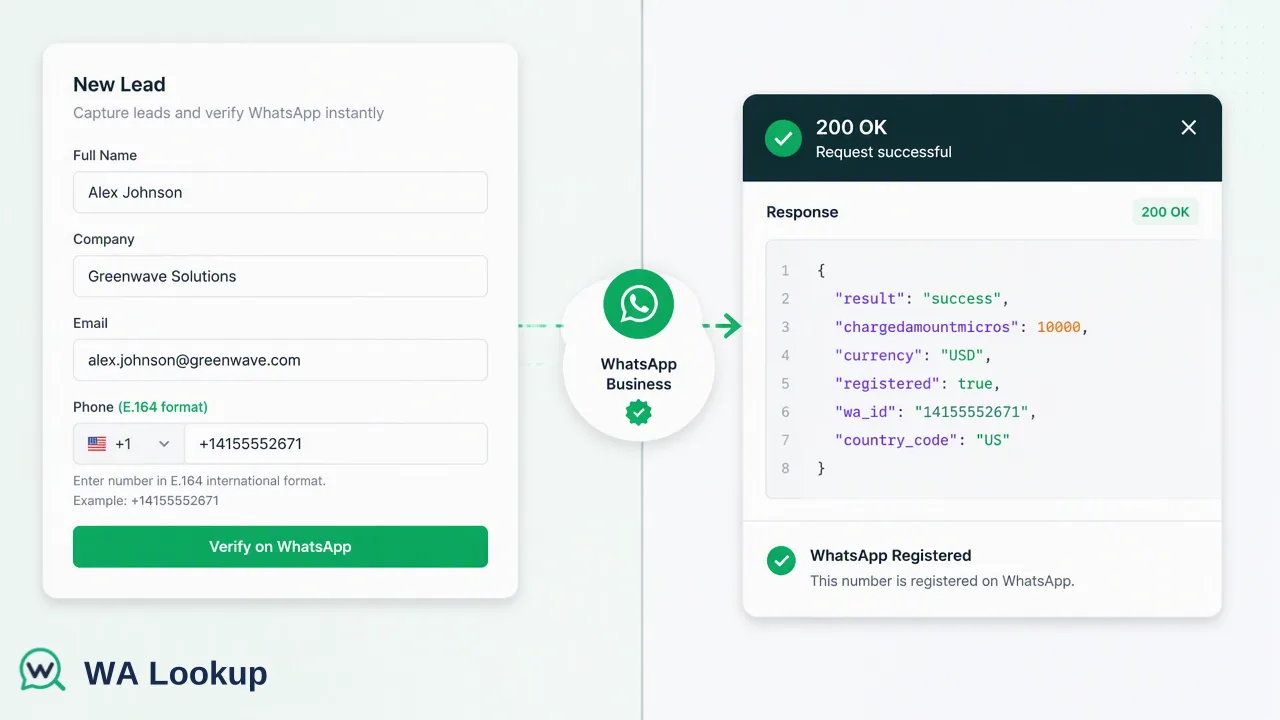
Learn how to integrate a real-time WhatsApp lookup API to synchronously verify account presence, reduce latency, and streamline B2B sales lead enrichment workflows.
Integrating a real-time WhatsApp lookup API allows B2B sales pipelines to verify lead data synchronously during the ingestion process. By using a RESTful POST request, developers can confirm WhatsApp account presence, avatar availability, or business account status instantly within the same HTTP transaction. This eliminates the latency associated with asynchronous webhooks, ensuring sales operations teams receive enriched, actionable lead data immediately upon entry to support faster qualification workflows.
The Role of Synchronous Lookups in Sales Automation
In B2B sales automation, the speed at which a lead is enriched and routed can significantly impact workflow efficiency. Traditional asynchronous data retrieval methods often rely on webhooks or polling mechanisms. These architectures require systems to send a request, wait for a background process to complete, and then listen for a callback. This multi-step process introduces latency into the lead ingestion pipeline, delaying subsequent routing and qualification steps. A real-time WhatsApp lookup API resolves this by utilizing a synchronous architecture. When a system submits a query, the API processes the request and returns the account-presence signal within the exact same HTTP response. This immediate data retrieval allows software developers to integrate the check directly into form submissions, CRM ingestion scripts, or lead qualification routing rules without building complex state-management logic. By reducing latency, synchronous processing helps sales operations teams prioritize records based on platform registration status the moment a lead enters the database.
Technical Implementation: POST /api/v1/check
Integrating the synchronous API requires a straightforward RESTful approach. Developers interact with a single endpoint to verify account presence, streamlining the technical overhead required for lead enrichment.
The documented request contract utilizes a POST method directed to /api/v1/check. To authenticate the request, systems must include an X-API-Key header alongside a Content-Type: application/json header.
The JSON payload requires two specific fields: service_type and identifier. The identifier must be submitted in strict E.164 format. E.164 is the international telephone numbering plan standard, meaning the phone number must begin with a plus sign (+), followed immediately by the country code and the subscriber number, with no spaces, dashes, or special characters. Failing to format the input as an E.164 number will result in a failed request.
An example of the required request body structure is:
{"service_type": "ws_business", "identifier": "+17253100591"}
Because the API is synchronous, the HTTP transaction remains open until the check is complete, returning the requested data points immediately based on the selected service type.
Selecting the Right Service Type for Enrichment
All WhatsApp verification checks utilize the same synchronous endpoint. The service_type parameter in the request body controls which specific data fields are returned and determines the associated balance cost for the query. Developers can choose from three distinct service types to tailor the data retrieval to their specific B2B enrichment needs:
- ws (WhatsApp Checker): This is the standard check. It returns only the
registeredfield, providing a baseline account-presence signal to confirm whether the submitted phone number is registered on the WhatsApp platform. - ws_avatar (WhatsApp Avatar Checker): This service type includes the base registration check and adds profile enrichment data. It returns an
avatarboolean indicating avatar availability, and anavatar_urlstring. The URL field is empty when no URL is available. - ws_business (WhatsApp Business Checker): Designed for B2B segmentation, this check confirms standard registration and adds a
businessboolean. This signal helps teams identify whether the account uses WhatsApp Business, which can inform specific outreach or support planning workflows.
Interpreting the Account-Presence Signal
For a completed WhatsApp check, the returned data contains service_type, identifier, and registered; ws_avatar also includes avatar and avatar_url, while ws_business includes business. Internal record, transaction, status, and billing fields are not returned.
It is critical for sales operations managers to understand the boundaries of this data. A positive registered result reports the WhatsApp status fields available at the exact time of the check. It serves strictly as an account-presence signal.
The API does not check or return a user's online status, their "last seen" timestamp, or any message history. The signal simply informs internal decisions by confirming the account exists on the platform, allowing teams to segment their lead lists accordingly.
Ensuring Data Quality and Cost Efficiency
Review balance and check history in the dashboard; see the pricing page and API documentation for current billing rules. For new accounts testing the integration, 100 free checks are available to evaluate the registration, avatar, and Business account checks before committing to larger volumes.
FAQ
What is the difference between ws, ws_avatar, and ws_business service types?
All three service types use the same synchronous endpoint but return different data fields. The 'ws' type returns a baseline registration signal. The 'ws_avatar' type adds an avatar availability boolean and an avatar URL field, which is empty when no URL is available. The 'ws_business' type confirms registration and adds a boolean indicating if the account uses WhatsApp Business.
Does the API check if a user is currently online or available to chat?
No. A registered result only reports the WhatsApp status fields available at the time of the check to confirm account presence. It does not check or return online status, last seen timestamps, message history, or contact consent.
How are failed API requests handled in terms of billing?
Failed, timed-out, and undetermined checks do not retain the charge. See the pricing page for current billing details.
What format should phone numbers be in for the API request?
All submitted phone numbers must be formatted according to the E.164 standard. This requires a plus sign (+) followed immediately by the country code and the subscriber number, with no spaces or special characters.